I’m putting together the next live session and I want it to actually be useful to you, so I’d love your input.
A few things I’m looking for:
Topics you’d like me to walk through, anything in MNodes you’d like to see explained properly.
Tutorial requests , is there a specific workflow, feature, or technique you want a step-by-step on? Preset Browser, the Hub, the Lab, VST3 hosting inside the graph, subgraphs… you name it.
Things that aren’t clicking yet, if there’s a concept or a part of MNodes that still feels unclear, drop it here and I’ll make sure to clear it up on stream.
Leave your suggestions below and I’ll work them into the next live.
could you explain CV MicroQuantize Scala. see i have a very unconventional .sci file that has just 9 notes having a very specific hz on each. if i import that and click on those nodes it shows the correct freq on the first because i set that as a root note but it seams to ignore my file otherwise so i wonder am i missing something?
the file it is not really a conventional scale but more a file that enables me using those frequencies on some .sci supporting synths i was hoping to create a midi device that allows adding .sci files to any synth and for that i also would need a midi port out i think
Can you build a multi fx on stream to show how to switch between processing fx? For example a distortion fx with a knob to switch between distortion types?
Also maybe building an “analog style” synth similar to a moog. Just watching you build one out on stream would teach so many concepts in my opinion.
The basics, please. Evbery node has a detailed help info, this is awesome, but as a new user, I didn’t know how to remove a connection - I had no idea I needed to “pull” at the wire, it took me a lot of trial and error to find it out. There’s a lot of suich little details of the general, basic operation, that are not immediately obvious.
Other than that, could you build an example krell patch? How can an envelope trigger itself, i.e. how do we create a signal feedback loop? (In Bitwig grid it requires using Long Delay, and how does that work in MNodes?)
I’m a fairly adavanced user of the grid in Bitwig, but I’m lost in MNodes. Finding out little things such as how to connect an oscillator with an envelope, becomes an adventure, since we don’t have a proper manual yet. Right now this puts me off from even opening MNodes, I’m waiting for version 1.0 that will hopefully come with full docs.
Also, speaking only for myself, I can’t watch those very slow two-hour sessions. It’d be ideal if you could compress the info a little, organize those videos, present a plan at the beginning, and squeeze them into 30 minutes or so. I just don’t have the time (or patience) to watch a two-hour video without even knowing what I’m going to learn. Maybe ou could find a few people on who’d be interested in demoing the capabilities of MNodes?
What nodes are on the roadmap for the near future? Any plans for additional primitive nodes like boolean logic gates (AND, OR, NOT, XOR, etc.), shift registers, 1:8 switch, 8:1 switch, etc. ?
As MNodes may be a new way of working for many creators, I think It may be a good idea to cover the basics on how MNodes can be used. For instance: How to modulate a change colour on a slider for instance. How do you achieve this? - (LFO - Smooth - CV to Data - Slider). Is this be best way, or are there other options - for instance Modulo - I am working in Final Cut Pro with procedural software called Nodes…it’s behaviour is somewhat equal to MNodes… So I think I will find my way around, but when you are totally new to this way of working, it is very helpful to have few more examples to see how MNodes works. With NODES (Final Cut) - I deconstruct presets to understand what is going on. So the more examples we have to better we can deconstruct the behavior. I know there is still good material out there, but I think we need more on building with MNodes.
I mentioned the Parameters of the Knob Widget, to have this equal across all other sliders. This makes it consistent.
I would love to see micro tutorials on topics. best on how to use an LFO - Direct or via MAP… How to build a moving Sequence (alike Stepic)…etc… I think you know where I want to go… I like to see this software being accessible from absolute beginner to advanced user!
Your streams are excellent, and very insightful. It’s great to be able to ask questions directly. However, as others have mentioned, having 10-20 minute pre-recorded focused tutorials would be extremely helpful. Going from the basics to more advanced topics. Of course, this is a huge amount of time, but I think it would help sales showing people the power of Mnodes and even help with advanced users who have missed some the extra features you have packed into Mnodes. Thanks for all you do!!
This stream is all about your requests from the forum. You dropped your questions and ideas, and I’m answering them live by actually building things in MNodes on screen.
Here’s what we’re covering:
The basics: making and removing connections, and the little things new users always miss
Wiring an oscillator into an envelope
Building a multi-fx and switching between processing types
Building an analog-style synth from scratch
How an envelope can trigger itself to create a feedback loop.
Working with Scala (.sci) files and CV MicroQuantize
For your next live stream, I was thinking it would be great to show how to create a few buttons on the front panel of an MNodes project that can be used during a live set.
Specifically, using a custom toggle button that controls a sample’s playback relative to the project transport bar.
Here is an example button behaviour:
When Toggled ON: Pressing the button should queue the sample to start playing exactly on Beat 1 of the next available bar. It should then loop or play on Beat 1 of every subsequent bar while enabled.
When Toggled OFF: Pressing the button again disengages the function, but the sample must continue playing until it stops exactly on Beat 4 of the current bar.
Essentially, I’m looking for the button actions to be quantised to specific beats of the measure rather than triggering instantly.
Once this logic is built, the system can easily be duplicated to create a grid of buttons for controlling multiple samples simultaneously. This would allow for highly dynamic, hands-on control over various loops and stems during a live performance.
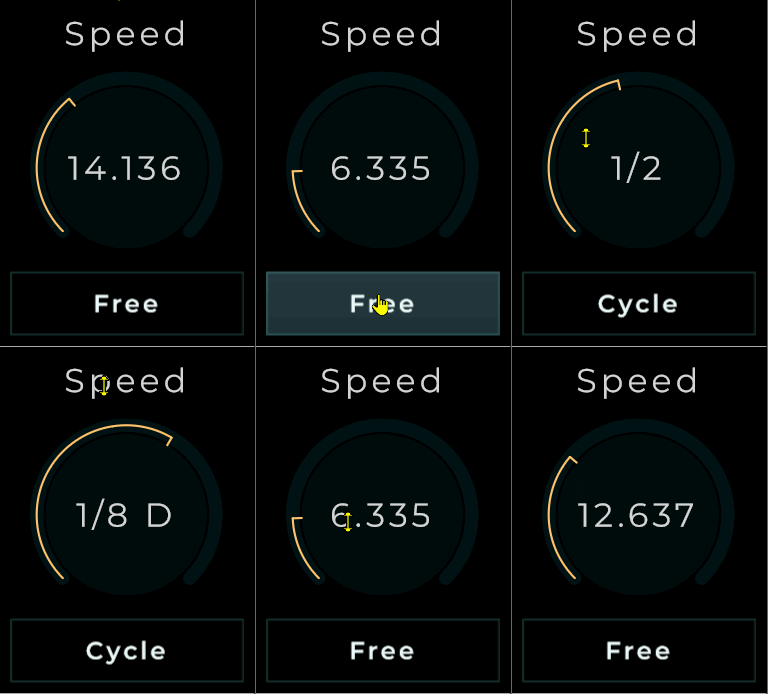
I tried to but couldn’t figure out how i would make a button change a delays timing from ms to synced cycles and have the value switch on the main page.
this is one way, i could also just alter a map connected after the knob and use text widget to replace the value text but i prefer this myself
i used 2 knobs and just swap them out they are bolt always connected to a lfo but to different nodes one for hz and one for cycle. i used combobox to get the cycles text on my button though text widget that you need to set to not intercept clicks. anyway in here is what you would need to do yours
no need to reply i am just trying to cut down the requests with examples you can get a cleaned up version of this in a example bundle i share on the hub
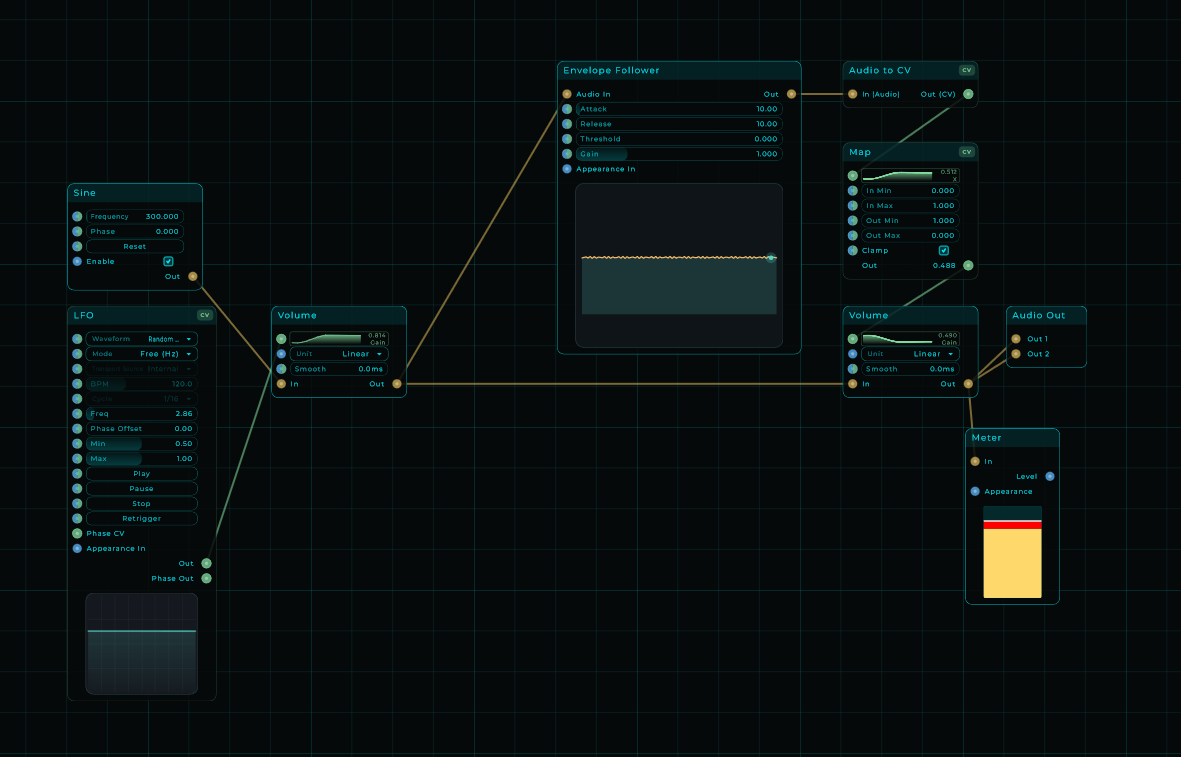
I don’t see anything about envelope follower synths so far. I can do them in vcv rack but ai says that it has problems when I try to do them as vst’s most of the time.. I have a couple of drum ones and some kind of follower effect synth that is supposed to be a glitch synth..
I’d need to see your project or get a better understanding of what you’re trying to do. We already have nodes for this, so if you share a few more details, I’ll take a look.