The displayed values in Input Select node are rounded to only 2 significant digits with the 3rd significant digit always 0. Other nodes typically display 3 significant digits. The values held and emitted by the node are accurate .. it is the rounding method used for displaying the values that is different than the typical 3 significant digits used throughout MNodes.
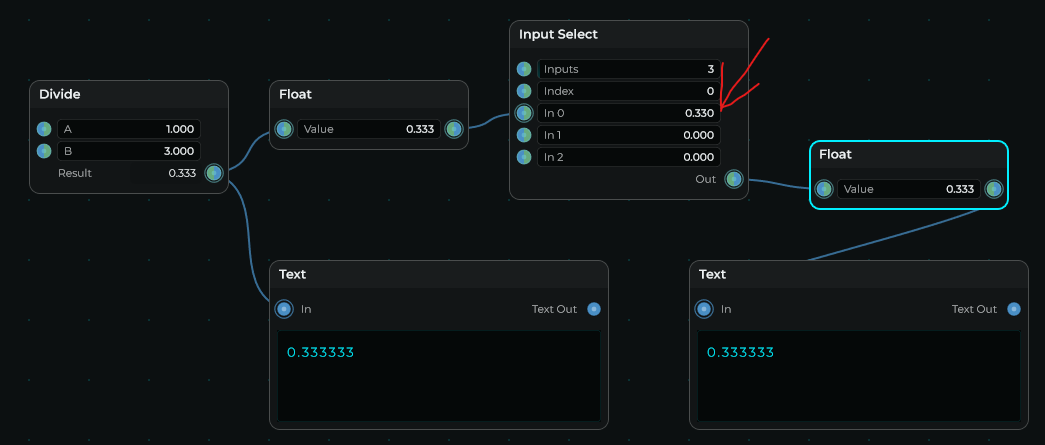
Slight correction: values received through the In ports are held and emitted correctly. Values entered manually by editing the text value are rounded to 2 digits and saved that way thus losing some precision. For example, type 0.125 into In 0 and observe 0.130 is displayed and also emitted as 0.130 at index 0.
hi i am just curious as to what the increments settings are for your manual control because if that is 0.01 this could be the result if so you would need 0.001
I am not seeing any increment controls on the Input Select node .. did I miss something? Is there a global setting somewhere perhaps that Input Select is using?
no there isnt it seams to do things in 0.01 internaly
i thought you where using text input to do it