Tonight was the first time I’ve had the time to take a look at the Script node and I am having some conceptual difficulty with how data is moved into and out of the node. I have 2 questions.
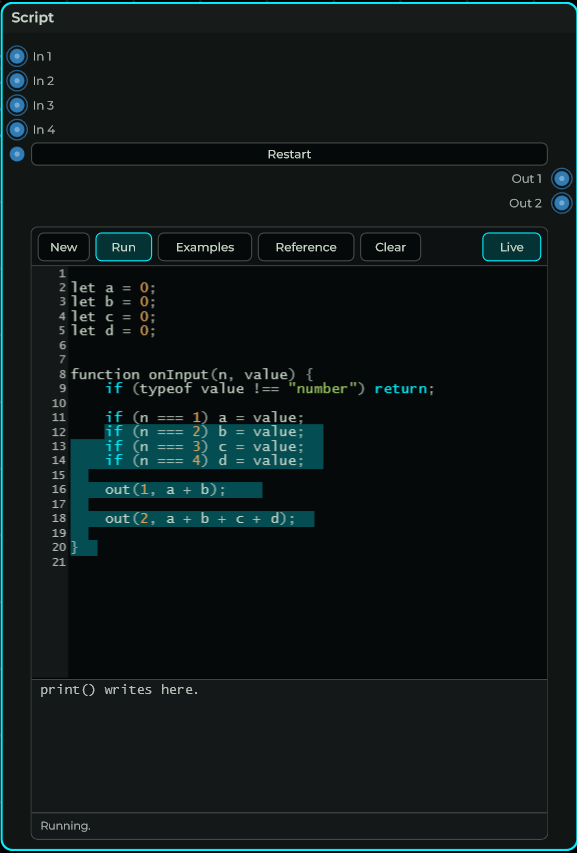
Is the Script node designed such that you develop elsewhere then copy paste the code into the node? Or is there a way to “unlock” the node so that you can edit directly in it? I haven’t figured out how to make code editable within the node.
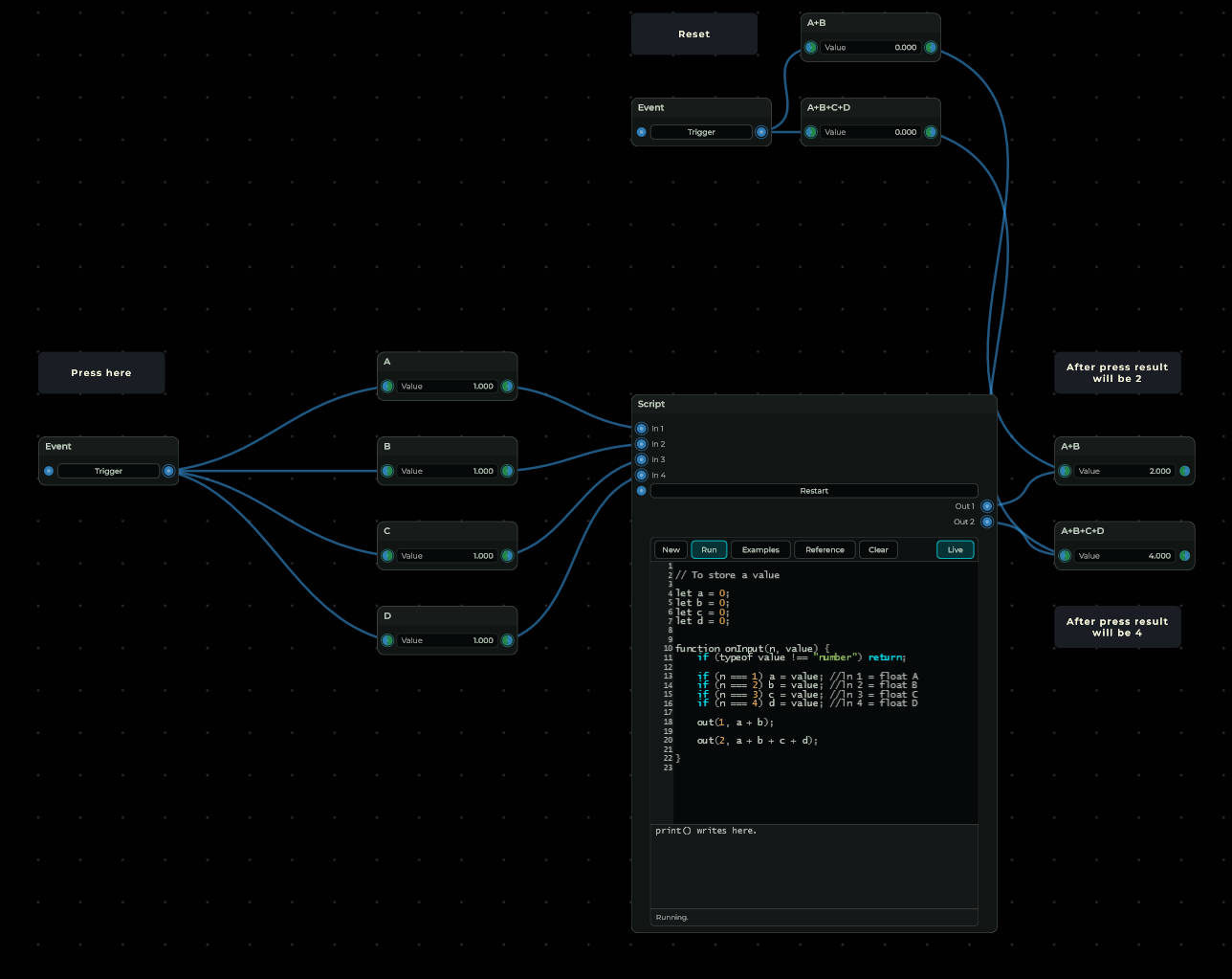
Also, I can’t get my head around the syntax for inputs and outputs. Therefore I would like to kindly request this. Would someone be willing to spend 3 minutes and write a script that does the following for a pretend Script node with 4 float inputs and 2 float outputs:
Take the first 2 inputs and send their product to the first output. Take the sum of all 4 inputs and send it to the 2nd output.
Just this simple example would be very helpful. Thank you!!
You should/can just click with your LMB in this text area, even select all/copy and paste it into a notepad or any text editor. you can also just select text from any other program to paste it in there.
There is no special unlock that i am aware off. as you see, partly i selected something random.
I am a windows user so that’s a difference in behaviour then with that interface. I think you could/should consider to bug report this if there is a disadvantage unless there are Mac settings or any type of software creating this behaviour.
Hi Jeff, the beep is a bug in the VST3 on Mac: the keys were going to the DAW instead of MNodes. It’s fixed for the next update. Until then, the AU version or the standalone app let you type in the code.
You can write the code right in the node. In the next update you can also link it to a .js file and write it in any editor (Edit Outside).