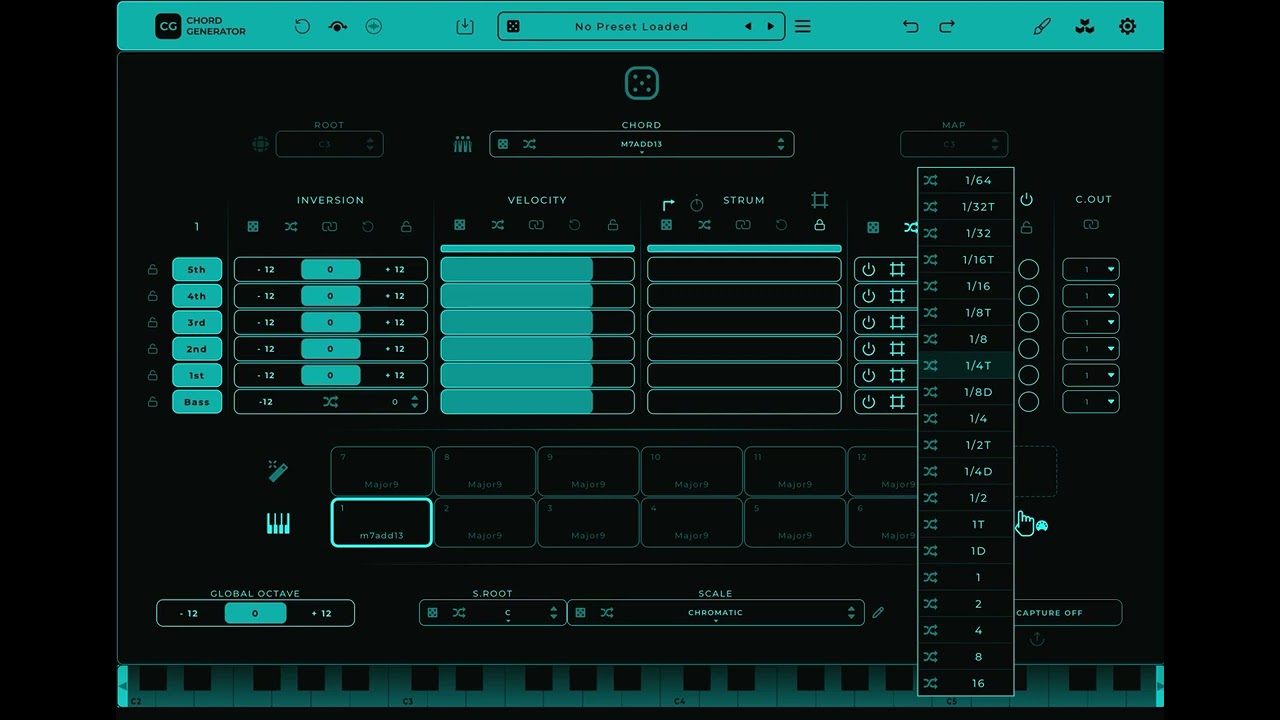
I launch Chord Generator on an iPad Air 6 (M2). In the “Chord” and “Repeater” lists, I click the randomizer icons, select specific chords/measurements, and then press the pad with any chord.
What’s happening:
Every time I press the pad, the randomizer selects chords/measurements from the entire list, instead of just the selected ones.
What should happen:
I activate specific randomizer icons, and the randomizer should select only the values I selected each time I press the pad.
This bug, specifically in the “Repeater” section, has been around for over a year and a half. And recently, the “Chord” randomizer has started behaving in exactly the same way. This is, in a sense, the main feature of this plugin. Why should I use it if this feature doesn’t work?
Below is a link to a video that clearly demonstrates everything described.
Welcome to our forum and i just cleared your message since it was flagged by our bot detecting system. Just wanting to let you know that your question is now visible.
No problem, There is indeed no bug reporting section in the “Chord Generator” section. But since it’s also not related to MNode i moved the topic to the best possible next category “Help & Support”.
I’ve been caught up working on MNodes, another project of mine, and haven’t had time to work on Chord Generator. But now that you’ve reminded me, I’ve started working on it. Hopefully I can have a version ready in the next few days.