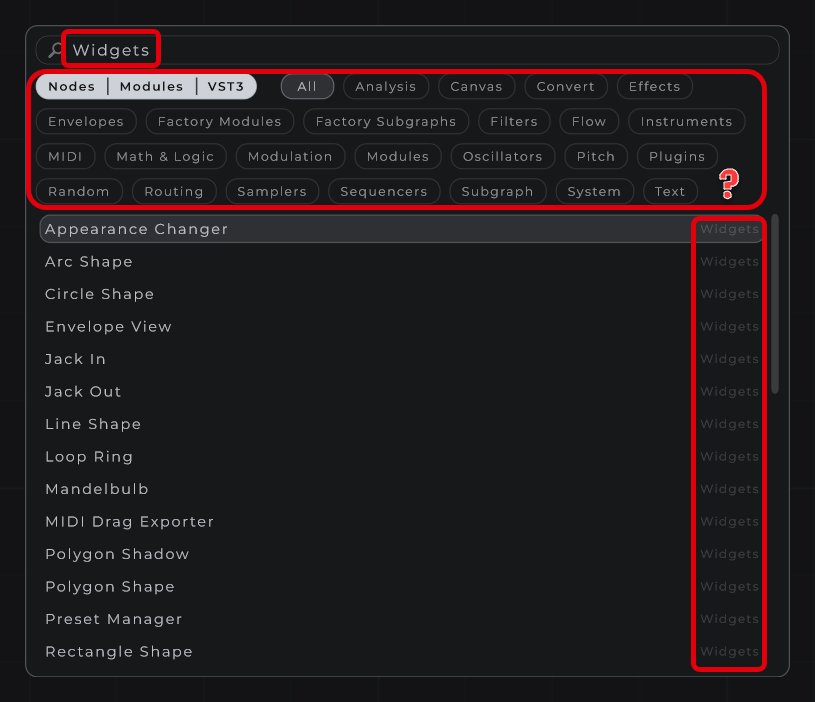
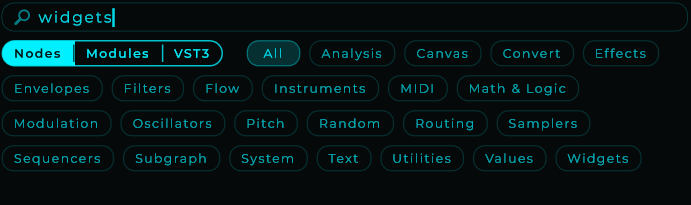
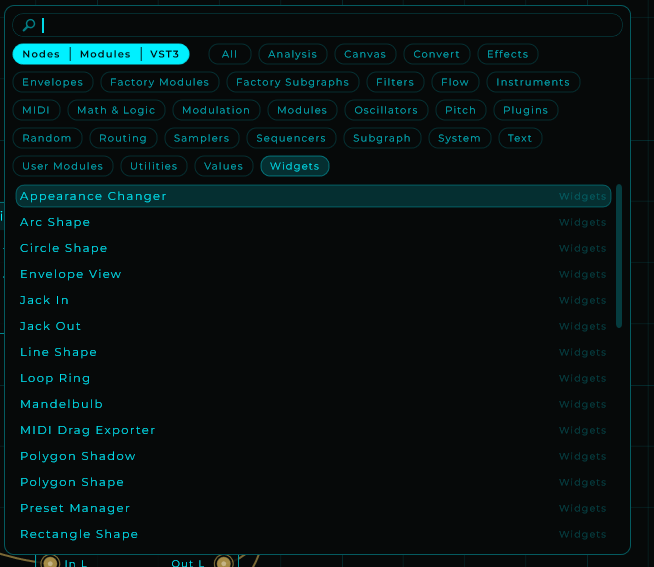
When opening the node palette there are some categories not visible in the node palette.
See here (example “Widgets”):
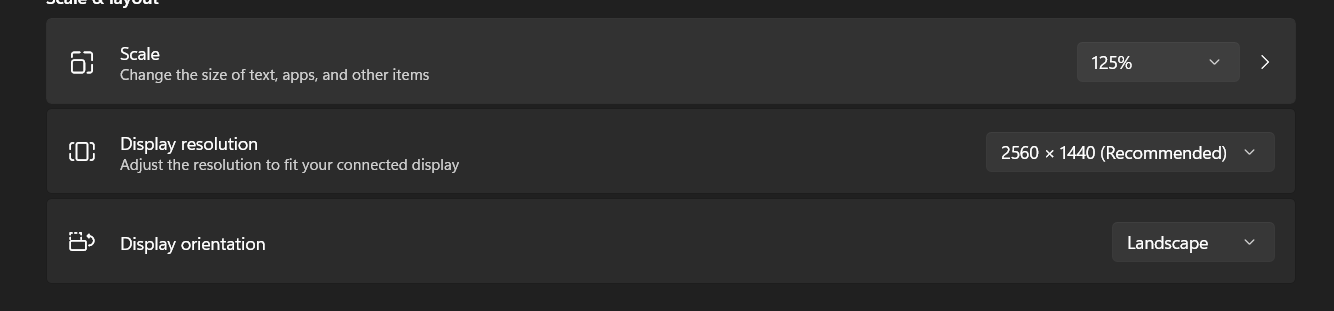
Maybe it has to do with Desktop scaling? My desktop [Windows] is scaled to 125% via Windows settings.
Could be that calculations are not including Desktop scaling?
Just wondering, you are using Windows.. as i, Do you use the light or dark mode? because i know that windows can be buggy with that sometimes.
I am more considering things specifically related to windows, these type of settings, an theme manager? additional tools on windows like powertoys or such.
And also
Where are the “user modules, uititlities, values” because they are also missing. so there is a complete number of items missing.
Is it a font size issue?
I mean i could relate to that, setting scaling on a monitor. bigger size fonts and then these things happen? wouldn’t expect it.. but i am just doing some out of the box thinking.
I checked the font size with windows, that can’t be the case.
I think what’s happening , although I haven’t dug deeply into the issue yet, is that the height of the Palette node is being calculated incorrectly for some reason.
The Widgets section is probably there, but it isn’t visible because the Categories area ends up taking too much vertical space.
That really looks like the issue! I’m going to work on it now.
Yes, I also suspect that the elements would be there but the catagories area is too small to include them [they are clipped].
When I change filters I can see the “Widgets” [and others] that are missing.
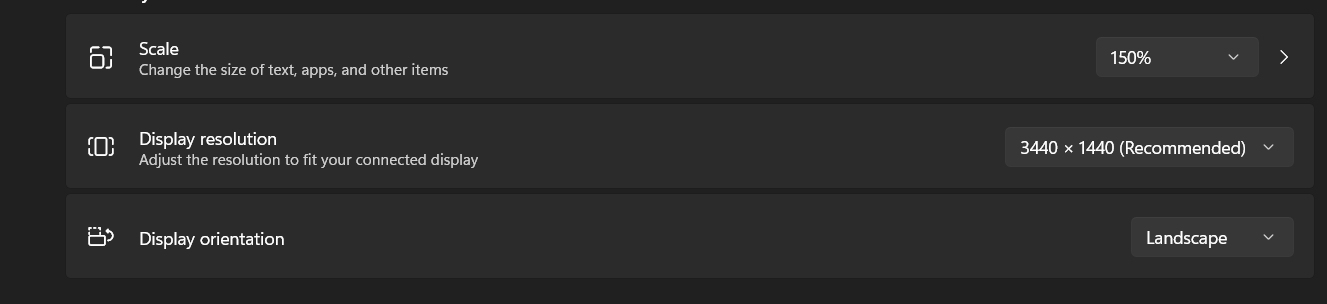
Maybe it would help to give you more info about my monitor configuration. Can do this tomorrow as I am currently not in the office.
My screen is a 46" Philips monitor running native 4k @ 60Hz. As already said I have 125% desktop scaling active and use a NVidia 5070Ti as GPU on Windows 10 Pro.
For the node palette I would like to ask you again to display it on mouse up and not on mouse down as you currently do. Most menus in most apps display menus on mouse up because showing them on mouse down could trigger issues when finally mouse up occurs - for many reasons.
I still see some spurious hiding of the node platette when I release the mouse and have to rclick multiple times sometimes to keep the palette open. This does not happen when pulling a cable out of a PIN and releasing the mouse on an empty canvas area - here on mouse up I always get the node palette displayed on first try with no issues.