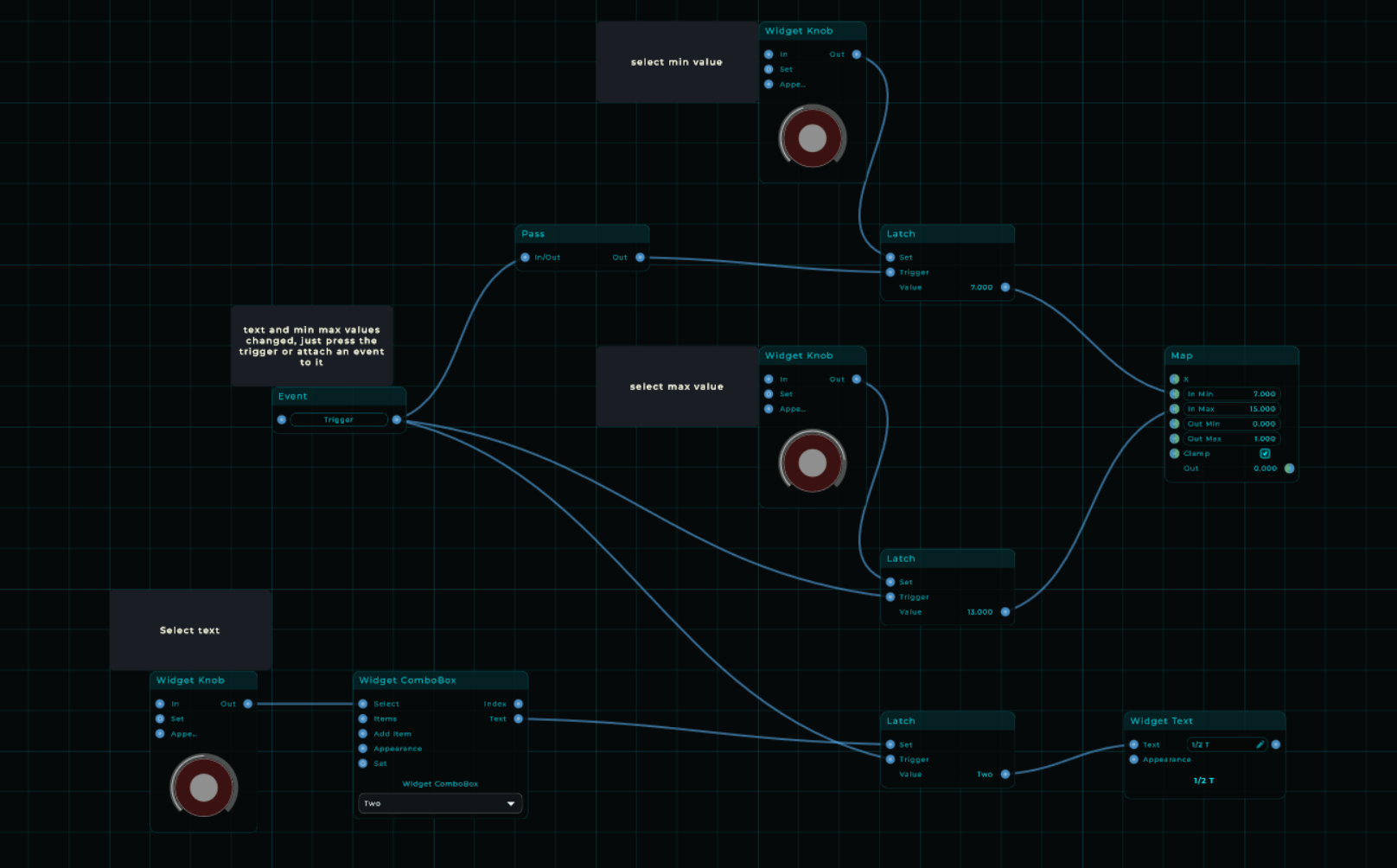
thank you i have to study this and recreate it to see what is going on with latch
some further digging made me realize that the method i used (event to float) does set the min max on map however what i need to also change is the settings in inspector those min max remain unchanged so my control values no longer match my map this could be a bug i realize
yes the control text i should just make invisible and use text widget instead good thinking i should have figured out myself lol
I don’t know about any issues with the map node, if i set them with a value node or knob then the values are the same as i have set using these input node’s.
Yeah perhaps something is causing an issue that i can’t replicate and it depends on if you have a pc/mac & version or de mnode standalone or one of the vst’s. I hope you figure it out and my example helped you a bit. And perhaps there are even other ways because instead of latch en triggers you also should be able to use event’s.
yeah i prefer an event because before this part is a whole lot of if’s and what i have is working on the backend only on my gui the range is not updating perhaps mario can jump in on how to do that
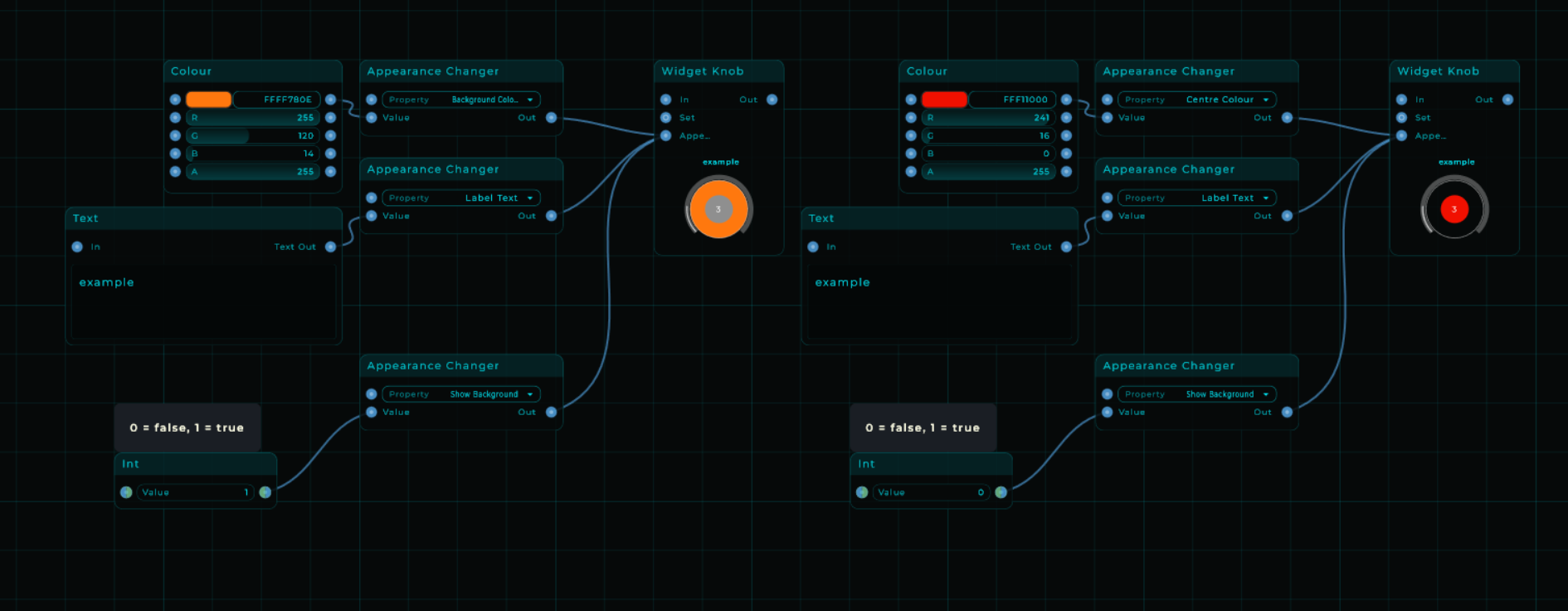
the apperance node has a list that is not very clear to me as to what does what and it is also not clear to me how to actualy do it
Well if you select an node in the inspector you see al whole list of appearance items you normally can change manually.
And if you know the label name in the inspector, then you just look it up in the appearance changer node, if its connected it will retrieve that list, you select the item you want to change and just consider every item as check/uncheck item in the inspector list as a false/true condition and i think all the rest is like what it’s is.. text, color.
yes thank you i struggled understanding where to input new data on the appearance node, before it is. i can also change text like this then. yes usefull helps me getting to grips with mnodes
as to my faders value range updating i dunno coz these are not even settings in appearance @MarioNietoWorld can you explain this to me?
Seems something is off with uploading files on the system. I can’t even download it. Getting an acces denied error. That’s most likely the cause of corruption because it renders an error in de output data for downloading. Most likely it’s plain tekst.
instead of altering the min max of the map i could use the same trigger to just replace my fader completely with another one that already has the right text and right range then all i need to do is swap them out on that trigger to solve bolt my problems
actually i have something that is working already was a bit more complicated as i needed to split things into 3 streams for 3 sets of faders and build the hide show logic for that. but i will take this project and learn thank you mario