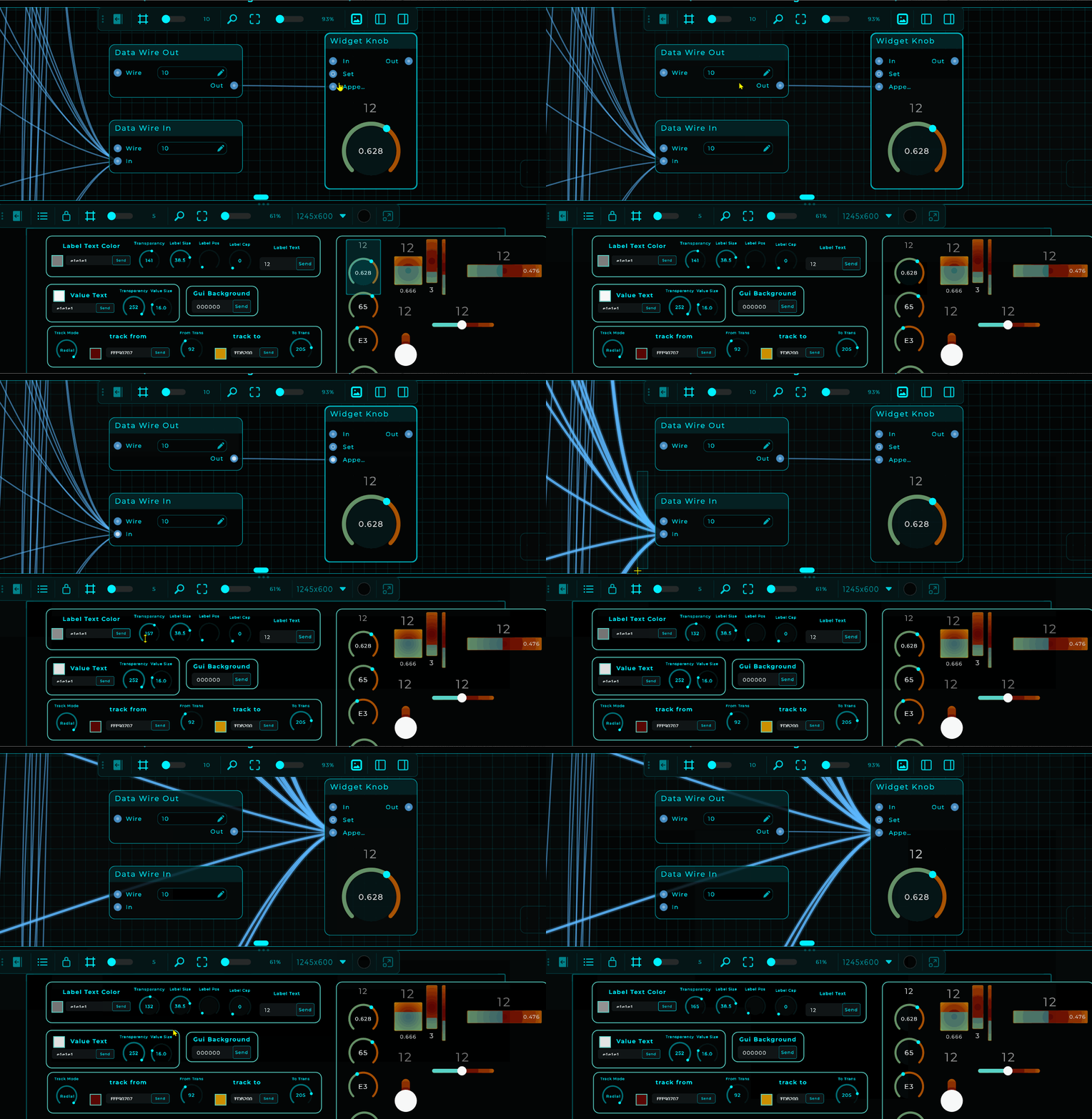
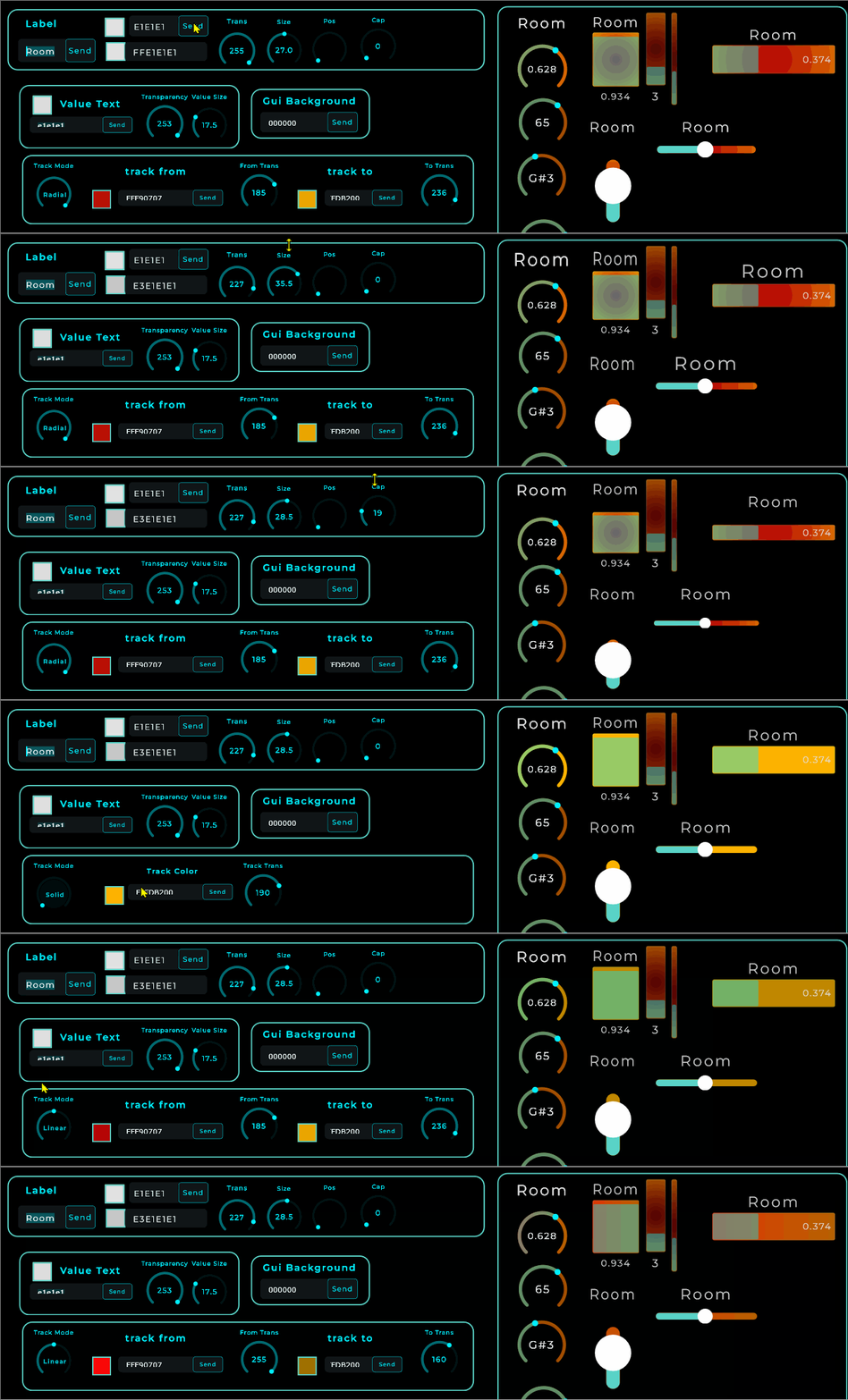
hello am i missing something? or is there a bug? all these wires come from appearance changers. note that this is very early work on a control creator i just started i have lots to add and to align and stuff
edit:
my goal is to have atleast 3 examples of each widget type and also meter and perhaps multi envelope depending on the space
these controls then all get the settings applied together so you can see if your design translates to other control types
the 3 examples you yourself could size and theme value wise the way you like that way it becomes a personal control designer for anyone
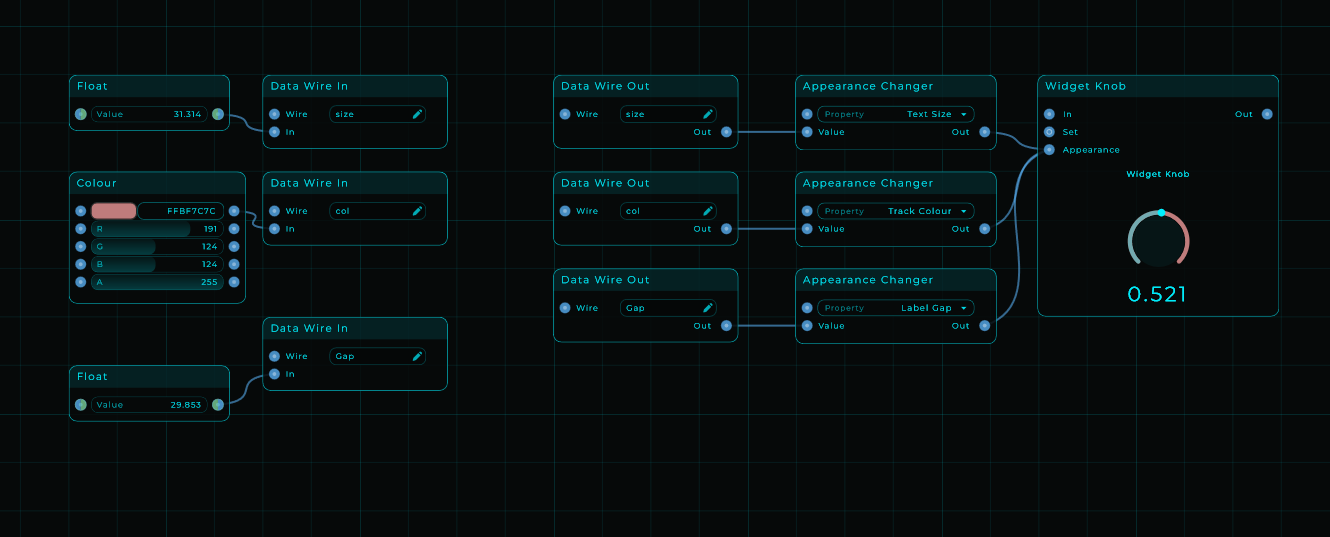
my wiring strategy is: for every option available on 1 control i will connect wires to all even if that control does not have these options because for example thump fader has no value display but if mario ever opens up that option i would not need to find it in the spagetti and it would just work right away so i can focus on adding only new options mario creates. that way it can be easily maintained
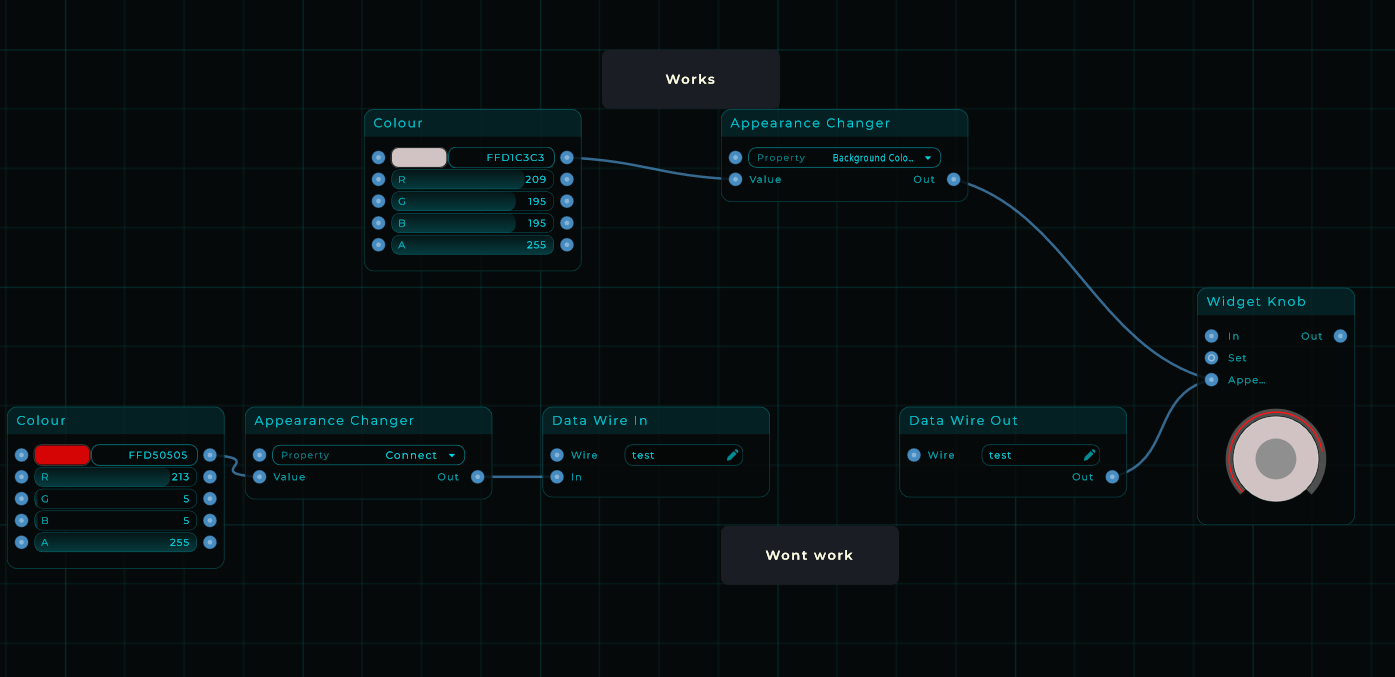
i see thnx danny. sadly this type of wiring does not make it easyer or cleaner to look at for me, to bad i need a ton of appearance changers just to cover 1 option on all widget types it would be nice if mixed targets was not a problem so i could say with just one to all widget types to change color
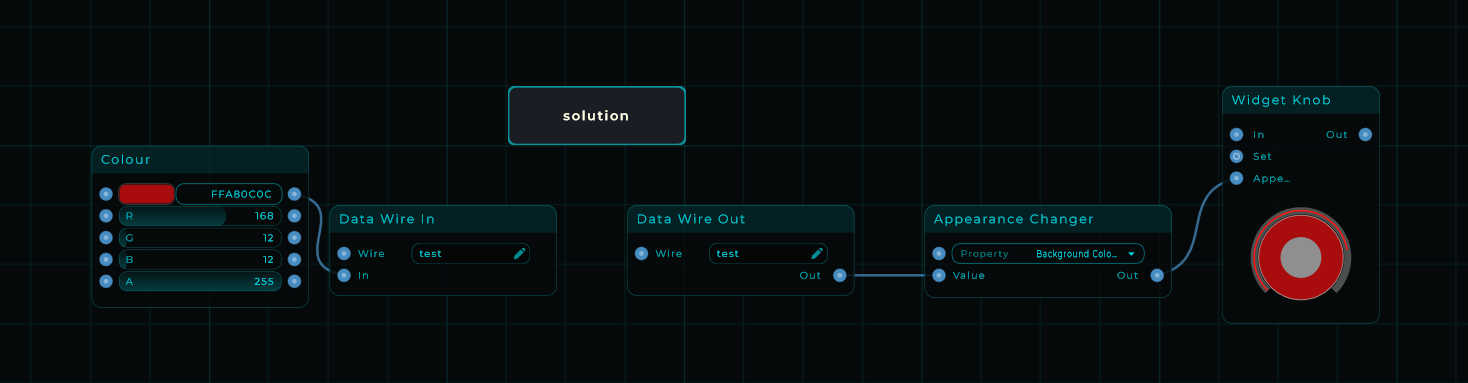
Danny’s solution is correct. The reason is that the Appearance Changer needs to be connected directly to an Appearance node in order to retrieve its parameters.
If you need to send it to several apparance params, this is the way to do it.
The appearance node is a bit constricted to its objects parameter. it’s has to call the object data, or an array. And i think it will be to conflicting if objects are mixed because i can imagine with programming that perhaps the names are similar they can have there own identity codes.
But i could show you another trick, but i haven’t designed yet. but in theory consider it as a subgraph with a selectable theme setup inside. you can choose an option, send it over a data wire and having every single theme subgraph next to a widget with all kind of output for knobs, button, text’s. change its appearance.
You can still then have a clean design, not endless wiring and so on.
that is not what i am going for tho let me demostrate
in this patch not all is connected what you see on the right but i make a capture of the concept i am first just gathering all controls so i can later make the gui properly
on top left label section i need to add x and y offset to to complete all options for that
on the top text input you can enter a 6 character hex and that can then be adjusted in transparancy and this is what gets send the bottom part also this will also accept a 8 character hex
i want to add every option available so i can easily design basic controls, i will also add every type of widget and also the meter
I can imagine that, can be very tuff to read other peoples design/programming. But if you see anything you wonder what i does, or why it’s there. i gladly will make a simplified version with some explanation inside.
thnx danny i might some day but just seeing and reading you explain things helps me to transform coding language thinking what ive been doing with autohotkey into workable concepts in mnodes with wires. for me this is not an easy adjustment but ill get there and get more creative in solutions as i go. the same goes coming from fl studio doing everything with mapping formulas and now in other ways.