Hi. I have repositioned a Chord Palette on the Front Panel using ‘Pos X’ in the Inspector, but the border did not follow. I don’t see any other control to move the border, so bug? Apologies if not.
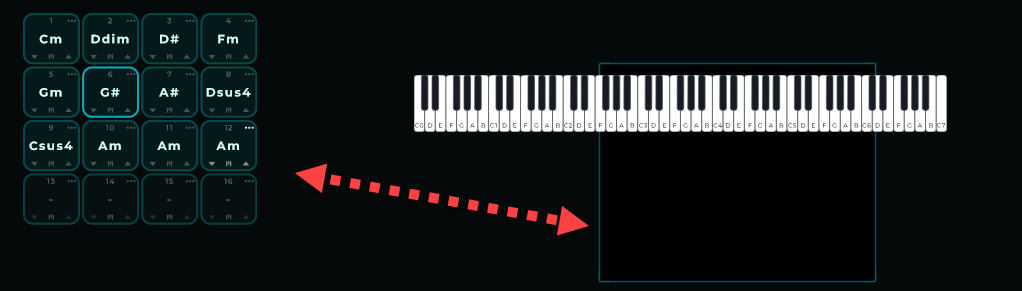
What border are you referring to?
Could you please send me the patch so I can take a look?
By default, the 16 pads appeared in the indicated square when first added/observed. IOW, the square appeared to be the border of the pads.
Then I used the inspector to move the X position of the pads. The pads moved, the square (border?) did not.
Maybe I am misunderstanding what I am seeing …
SJ Chord Test 01.mnprt (7.0 KB)
I understand these are separate components. Chord Palette doesn’t have an outer border, and from what you’re describing, you’re only moving the Chord Palette itself. If you prefer, send me the patch and I’ll take a look.
What you see is the border of the front panel, your final visual output:
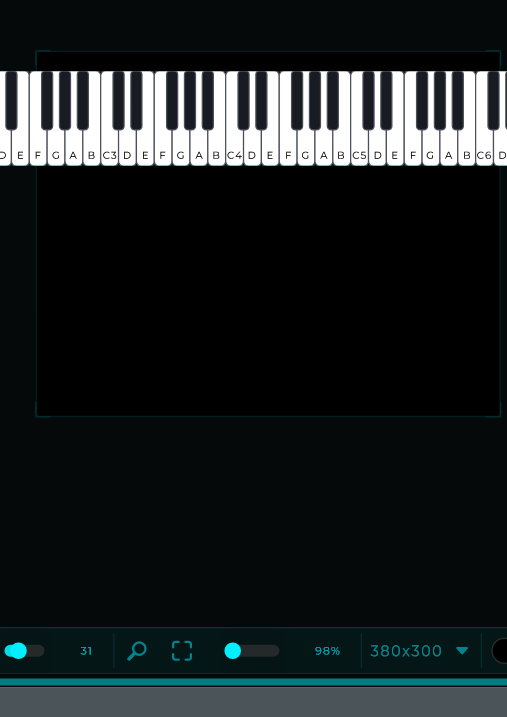
Dimension are set to 380x300
A few nodes are set out of the boundaries of the current resolution of the front panel.
What you need to do is :
Set the resolution like : 800x600

Unlock the front panel, use grid if so desired to align it.
Then you get something like this:
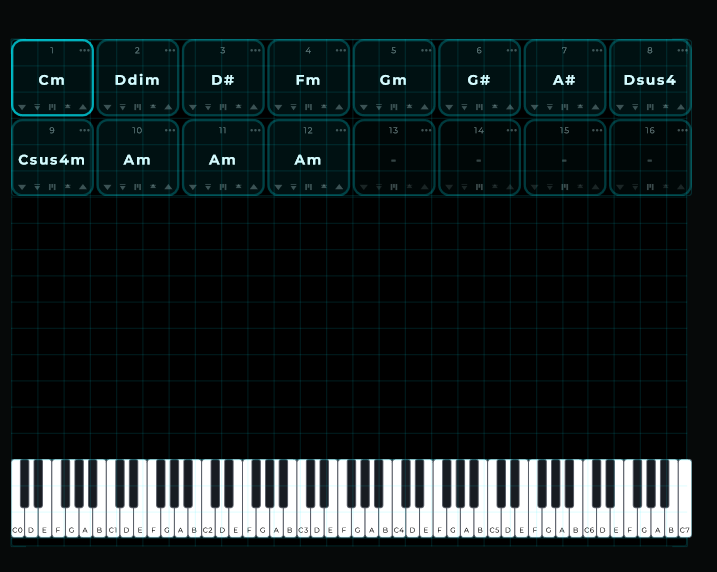
If you lock it again, not needed.. but than that grid disappears and that’s why you thought it was a border but it was actually the front panel
The changed version:
SJ Chord Test 01 - Changed.mnprt (7.0 KB)
thanks Danny 
Super helpful, thanks very much!