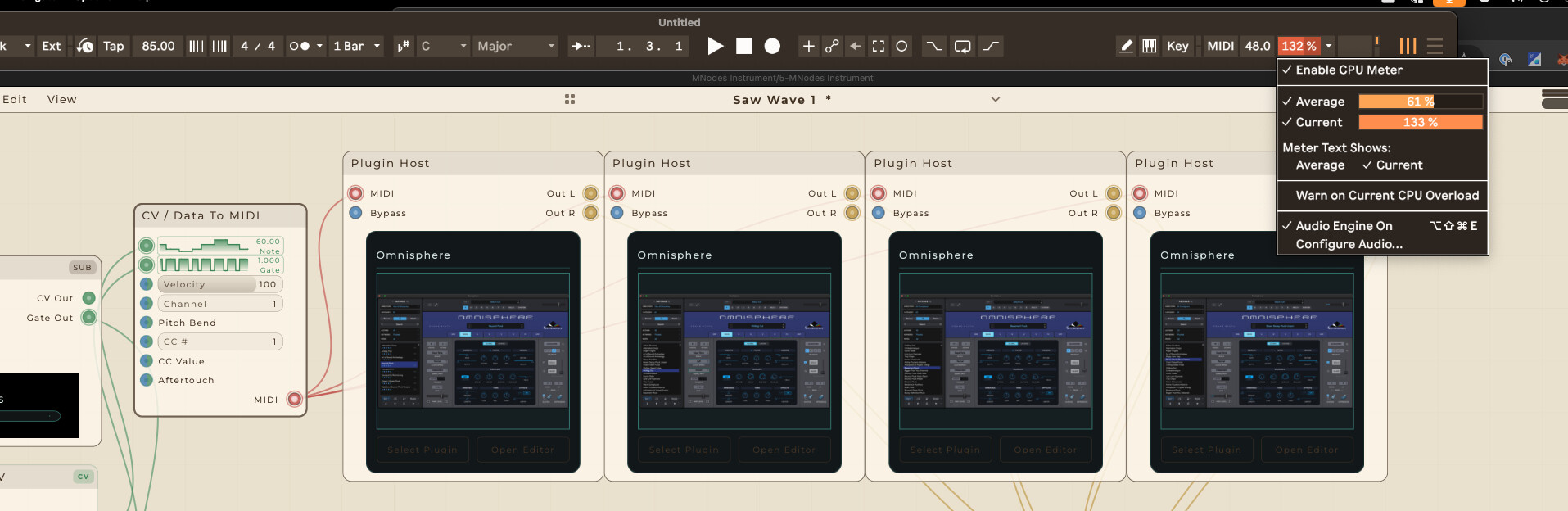
I just bought MNodes tonight. I built a random sequence genreator using a single saw wave. All was good. I then replace the saw wave with an instance of Omnisphere. That single instance was ok with Ableton 12.4.5 on my M3 macbook pro. CPU usage spike to maybe 25%. However when i added another instance cpu usage spiked over 100% and just got worse as i added 2 more for a total of 4 omnisphere instances.
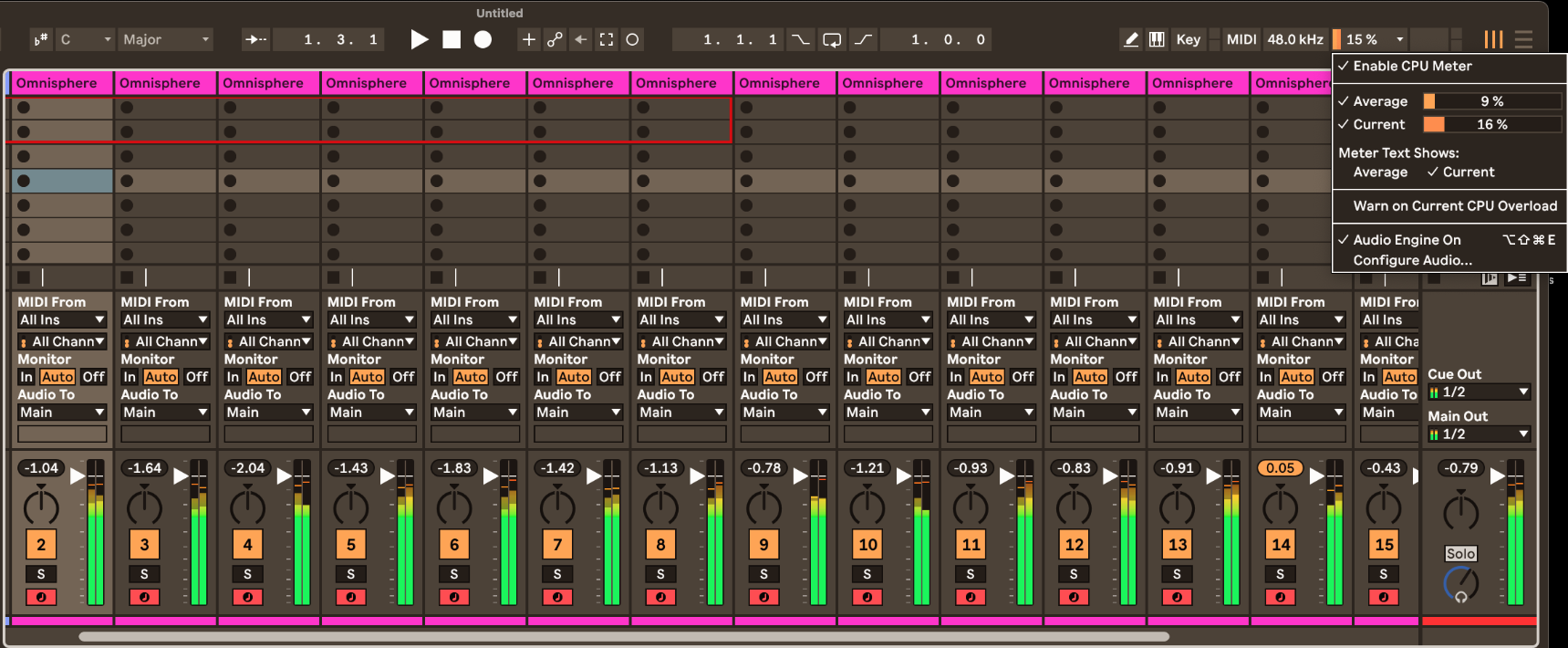
For reference, i have a VST stress test that i put all my vsts through in Ableton. I can add 16 Omnisphere instances on separate tracks and all being driven by sequences at the same time. Those 16 Omnisphere instances get the CPU up to 22-25% total.
I noticed Mario already send a “like” so that there must be something he is a aware of.
But don’t forget, for any reason if you are not comfortable using MNode after buying there is always that 30 days refund. But give it some time, just to consider that Mario is always send out new updates to fix issue’s. Just give it two weeks or so to decide.
I am also going to try to figure out what is happening on my PC (windows 11)
Thanks for taking a look at this in v1.1.1. I’m still getting extreme memory spikes in ableton when running 4 Omnisphere instances in MNodes. Here’s the results from running 4 instances…
For reference, here’s an example of running 16 omnisphere’s on 16 tracks. I know this might seem extreme but I do have patches that run many instances of VSTs so this is important to me. And the only VST I’ve tested that is more memory efficient than Omnisphere is Surge XT. In this test with 16 instances, most other VSTs fall in the 25-50% CPU usage area.
Found something: MNodes was switching on all nine of Omnisphere’s stereo outputs and rendering them every block, while Live only runs the main one. The next build enables only the outputs the node uses. Meanwhile, pls, after a run with the four instances, please send ~/Library/Logs/MNodes/MNodesPluginHost.log and ~/Library/Logs/MNodes/MNHostWorker.log again.