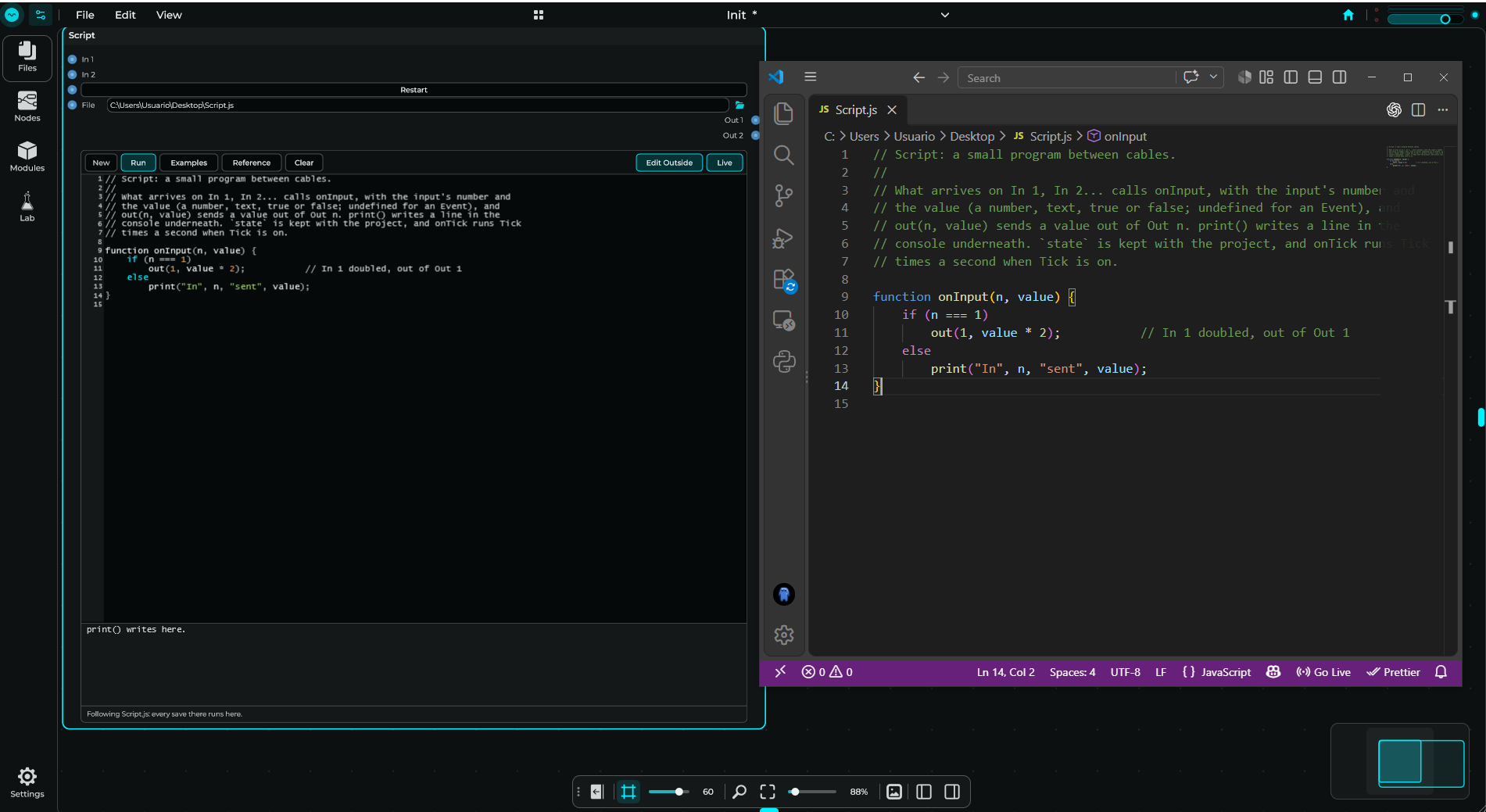
A couple of potential options Mario might consider are
An IDE that can be imbedded in the application. For example, something like Monaco Editor or something similar
A place in Settings where you can specify the path to your own IDE like Notepad++ and a button on the script node that lets you open your IDE of choice to edit the code and you don’t need to copy and paste code back and forth between node and IDE.
I haven’t done development in years so I don’t know how possible it is to do either of these but I think as long as writing code is part of a using a node, i.e., the Script node, there should be a decent IDE feature available in MNodes.
Yeah, either way - a more complete scripting experience would be nice.
But I would prefer an internal editor within a node as it allows more custom things that are MNodes related, even inside of the editor. Inserting API snippets or similar.
For now, the new version will let you edit scripts externally. One of my favourite options is VS Code: it’s free and works beautifully. Any changes you make in VS Code will automatically update in the Script node.