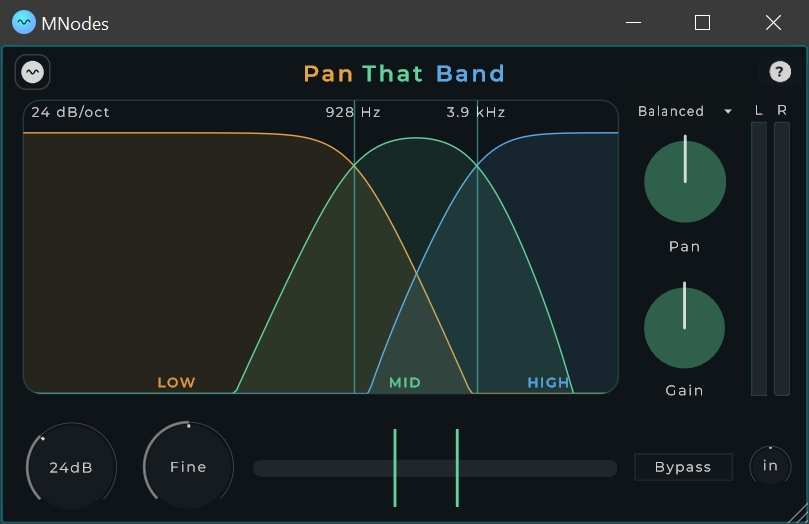
Pan That Band is a band splitter with a panner and a gain on the middle band.
I intent to use it to create room in certain frequencies so other elements can sit in the middle often a problem i have with pads for example.
Need To Knows:
- the top right button brings you to this post.
- above the pan knob is the pan law selector (default is balanced).
- you need to use the fader to adjust the crossover (it’s display is disabled).
- gain: applies a limited possible ammount of gain to only the middle band (about 20% max up or down).
- meters: only show the middle band.
- fine: when to the left you have extended finetuning on the low end, move it to the right and you have greater control in the high end. (under the hood this controls an exponential curve, where to right is linear, to left “double exponential” and in the middle regular exponential) be aware that this is the first control you should set because it will alter the frequencies.
- you can use in to change the input level (double click to set to default)
- you can use mousewheel on buttons.
- use bypass to bypass the fx however alterations to input are not included in bypass.
on odysee Pan That Band v1.5 (MNodes Audio FX)
 so i will have to delay my release untill i can properly test it
