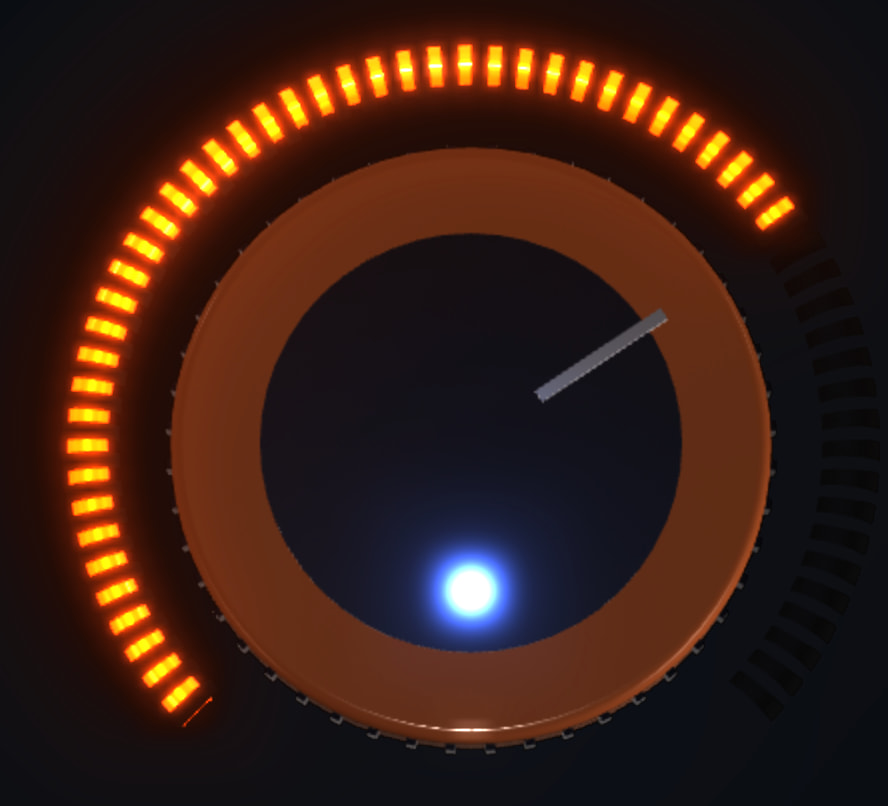
In the Strip Studio for knob design, is there a way to allow the segments of the fill arc to be filled in as the knob turns rather than being stretched out as the knob turns to the right. To me it looks better if all the segments are there, but they’re not lit up and they are subsequently lit up as the knob sweeps through its turn. But the way the strip studio works as far as I can tell is that when you set the number of segments in the fill arc, they just stretch out and fill the space between the zero position and the indicator.
Never mind. I figured out that you put the track above the fill arc and segment the track, not the fill arc to get the desired effect.
thnx for the tip 
you also need to make sure for the track that:
- the “Tube R” is the correct size to sit on top of the fill arc (trial and error)
- and the “Offset Y” near the bottom - the 2nd one, not the first one, is set properly. It behaves differently than the other “Offset Y” sliders. This one behaves more as a Z axis that moves the track closer to or further from the camera (you).
- and I suggest you make the track as black and non-reflective as you can - some things I’ve tried that improve the effect a bit is to color the track as black as I can; like:
- use matte black matte material
- zero out the “metallic” slider
- maximize the roughness slider
- and minimize the “clear coat” slider.
Below is an example of how taking these steps turned out. Of course it would be easier if Mario just let us check a box that says “don’t stretch the segments” in the track fill layer 
enjoy!