Feature request to add user configurable snap positions to the knobs and sliders. Snap positions could be identified as a comma separated list of the values that can be snapped to (for example, 0, 0.5, 0.75, 1, 1.5) or as a general division of the control range (every 0.25 for example). Snapping would occur when the control is moved by mouse while holding special key like shift or control.
And, perhaps, an option to show the snap positions as ticks.
Yes, increments are a good starting point and work just find in many situations. I have in mind a scenario like a Swing knob that ranges from 0 .. 1 and has snap points for common settings like 0.25, 0.333, 0.5, 0.667. AFAIK increments are equally spaced across the range so increments would have be set to a common divisor between all desired stop points and that limits the user’s options in case a value between increments is desired. Having snap points at user defined values means that the user can select any value in the range (not just the snap points) or can quickly jump to nearest snap point by holding control key, for example. Not a necessity but a nice quality of life workflow enhancement.
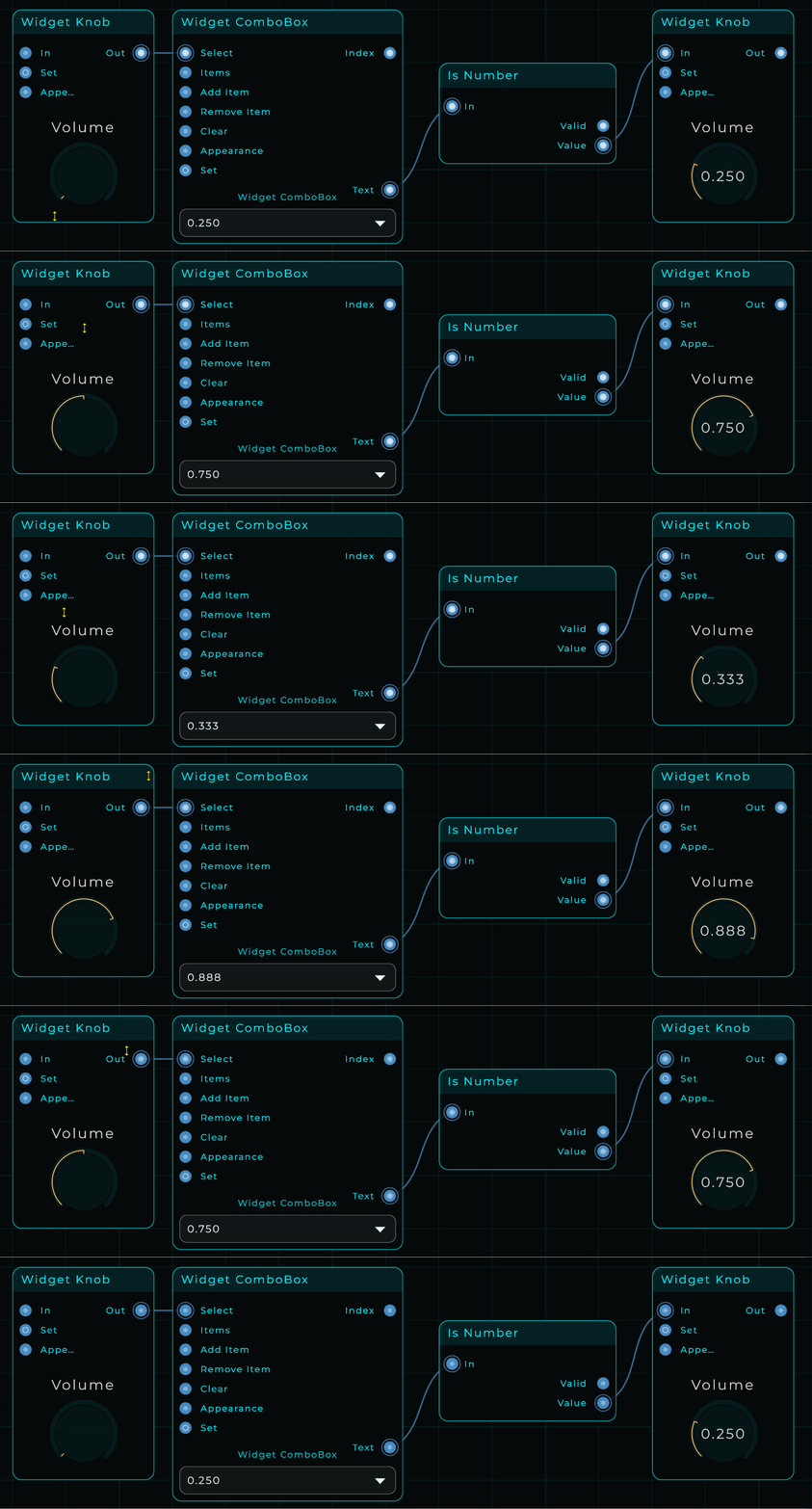
one part is solveable because you can create this custom list in a combobox and use text widget/or might need text input to do it but instead of using the value out on the combobox you use the text out (can be used to select)
now for the gaps in ticks i dont know an easy solution
Yes, that works (and I have done things like that). Being able to specify those snap values in the knob/slider widget directly would eliminate the need for the secondary control and translation nodes. And it keeps the range information for the knob in one place (principle of locality) so there would be no need to keep the range values (and or translator/mapper) in sync between the knob/slider widget and the secondary control widget that sets the snap values.