hello
asuming i am missing some obvious node i dont see i just ask. how would i have something like the stereo gain node but then also doing negative gain i need it for my in out level faders
cheers
hello
asuming i am missing some obvious node i dont see i just ask. how would i have something like the stereo gain node but then also doing negative gain i need it for my in out level faders
cheers
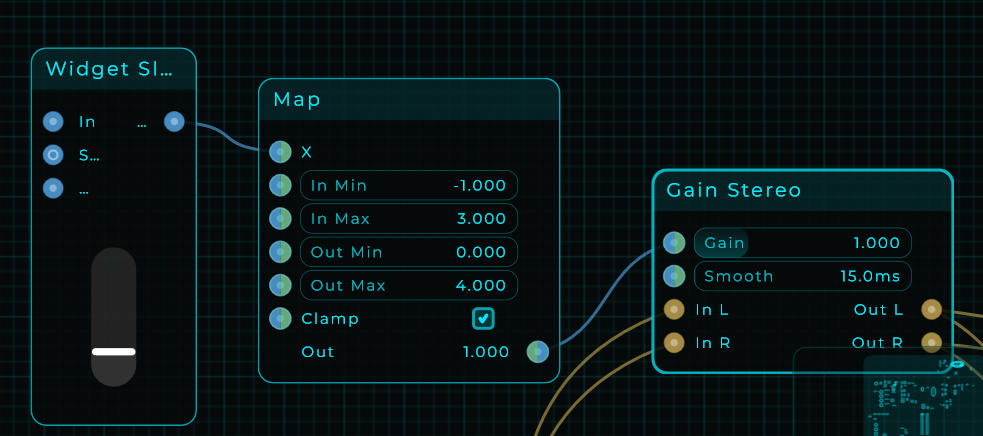
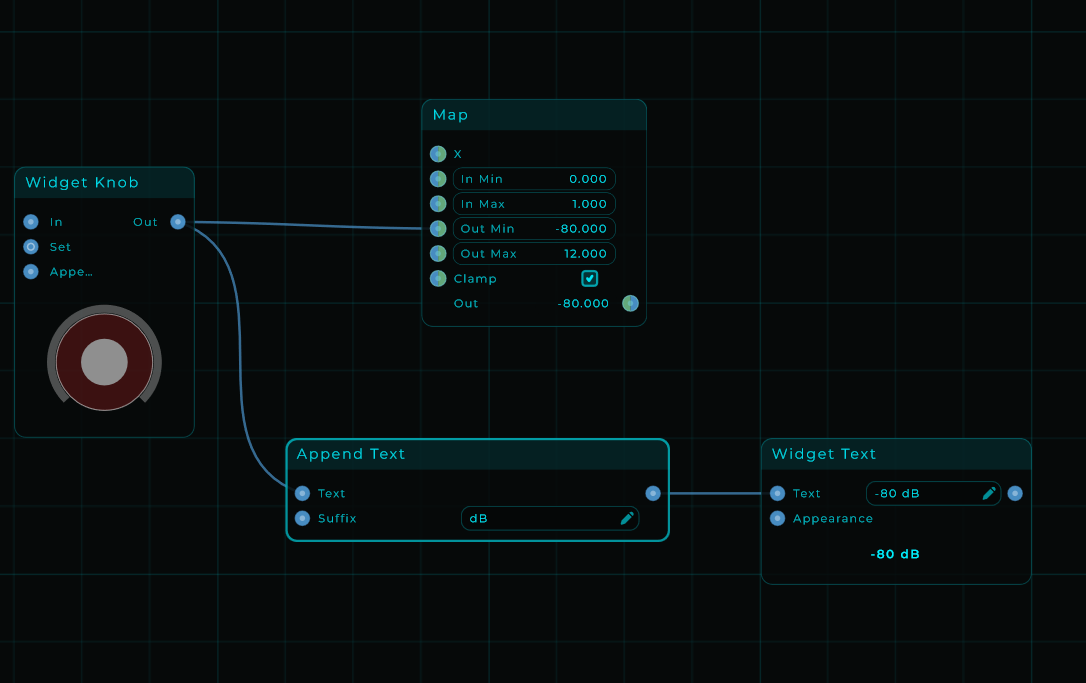
i can use a map to get the full range
but now i have a fader with unity gain at its current position due to 0 being silence and 1 being normal level and the gain can go up to 4
i struggle to understand how that db to linear works as i have no idea what i should fill in in main settings for it to still have my fader being at zero being actual zero sound it seams to struggle with the offset here
I think i might not understand the situation to be fair, i see your values and the nodes.
if we define this in some logical statements:
slider value -1.000 to 3.000
gain value 0 to 4.000
Do you want that:
slider value 0.000 to 3.000 being gain value from 1.000 to 4.000
and slider value from 0.000 to -1.000 to be 1.000 to 0.000
Something like that?
i want to emulate a pre and post gain on my tool, all those faders have a high position dropping into inf
i know i need to use db to linear but i do not understand it because what is in the help about it i cant match with me having to change the scale of the fader to a gain using db to linear on the fader. and if i use db to linear i cant get my fader to actually set stereo gain at 0 by pulling it down
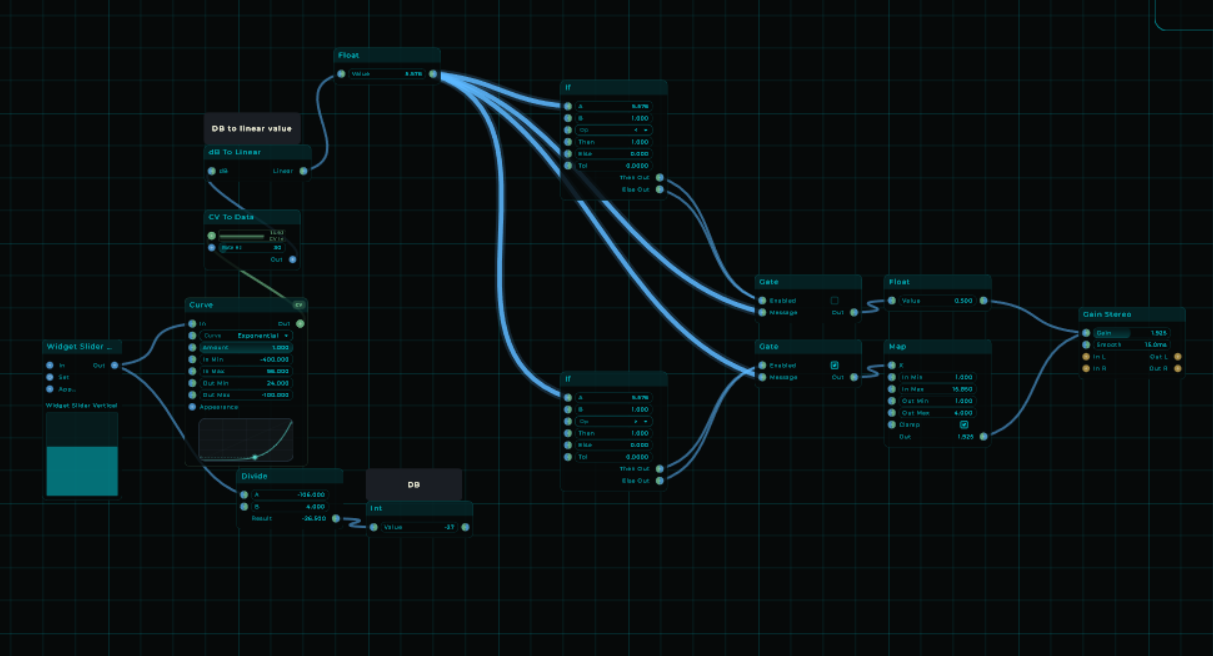
I think i am in a good direction but i am getting stuck, something is not right while the gain value is responding as expected but the DB value does not correspond, i think. but if this is somehow useful for you, and perhaps @MarioNietoWorld see’s what i am doing wrong. or you.. just let me know where my thought process went wrong. even i am still learning.
But for what’s it’s worth, this was my experiment:
test_db.mnprt (9.6 KB)
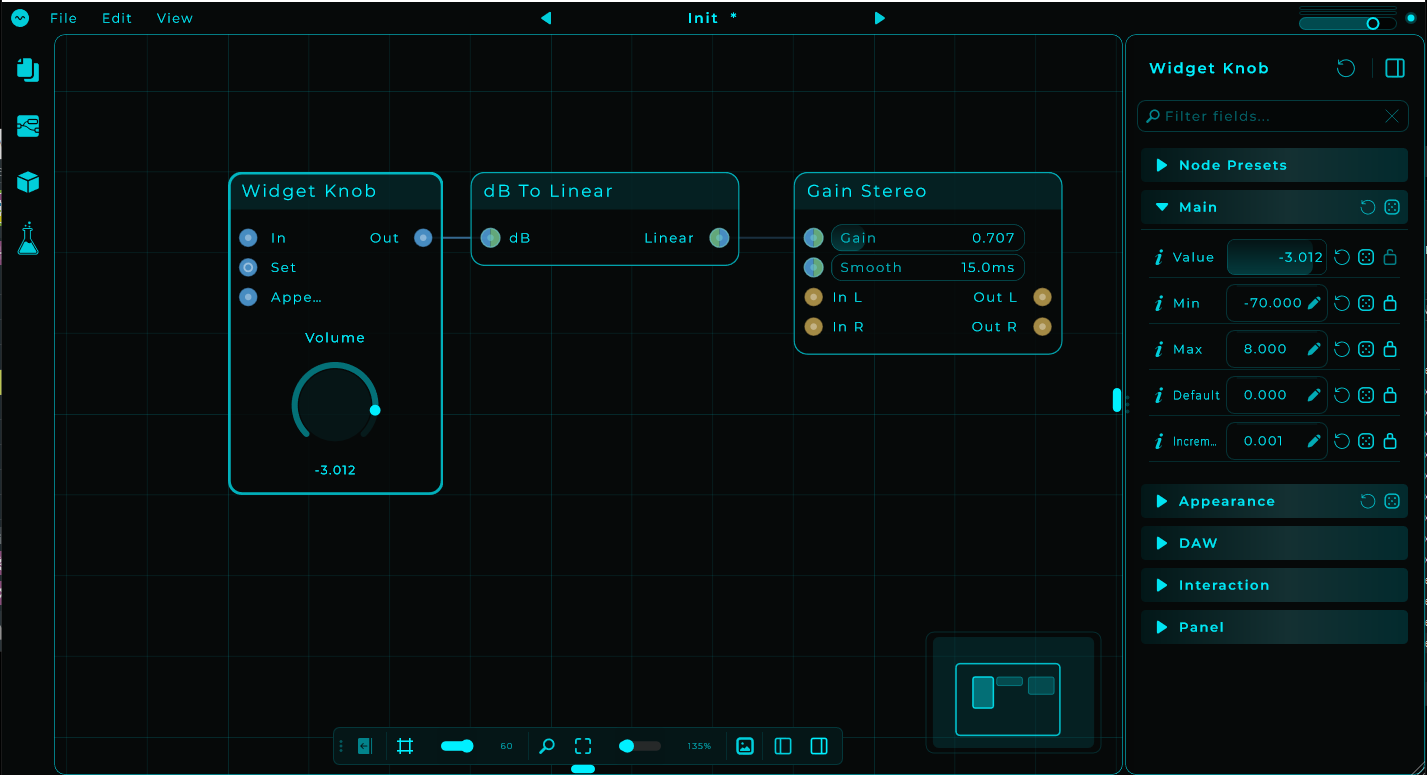
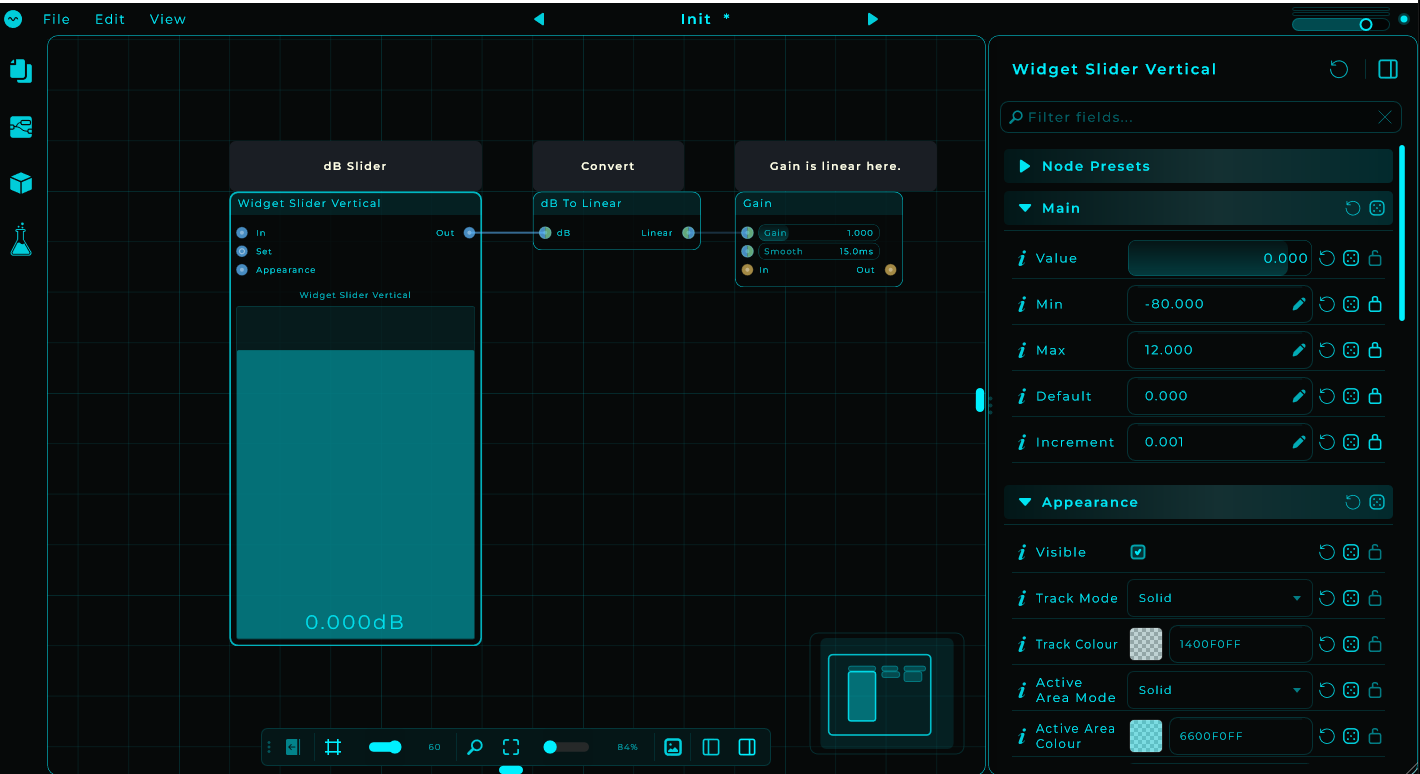
You are one setting away. Open the slider’s inspector and set its Value Range to -80 to +12. Now the fader itself works in dB: the value it sends IS decibels, and dB To Linear turns that into the gain. 0 on the fader is unity (gain 1.000), +12 at the top is gain 4, and pulling it down actually lowers the volume.
thnx i try that and i am very curious to know how you came to these numbers 
dB is just a way of saying “multiply the volume”. Going up 6 dB doubles the volume. Going down 6 dB halves it.
At 0 dB the volume stays as it is. At +12 you have doubled it twice, so times 4. And at -80 you have halved it so many times that there is nothing left to hear: that is why the bottom of the fader is silence.
The dB To Linear node does all that math for you.
adding a curve is actualy a good idea to increase finetune ability on the top but overall i think mario gave the anwser in his last post now i know that i can finetune it to a very specific usefull range in that way
Yeah in general my example is about having INF at top of the slider, giving it a higher resolution to scale in and that’s why i used the 0.0 to 1.0 range to be normal, and the 1.0 to 4.0 in an different mapping to give you more accuracy, at least that was my attempt.
i understand but i think instead i could also say less than 12 in the fader itself and thus so get just a bit of gain and the rest drop into inf, if i add a curve to that i can finetune how it feels using it
just to verify if i understand the logic correctly
wouldn’t -80 be 240dB reduction?
-80 is the selected dB, which “DB to linear” converts into a float. (−80 dB = 0.0001 float)
The volume node, previously called gain has a range of a float value of 0.000 to 4.000
0.000 = −∞ dB
0.001 = −60.00 dB
0.010 = −40.00 dB
0.050 = −26.02 dB
0.100 = −20.00 dB
0.200 = −13.98 dB
0.250 = −12.04 dB
0.300 = −10.46 dB
0.400 = −7.96 dB
0.500 = −6.02 dB
0.600 = −4.44 dB
0.700 = −3.10 dB
0.800 = −1.94 dB
0.900 = −0.92 dB
1.000 = 0.00 dB
1.250 = +1.94 dB
1.500 = +3.52 dB
2.000 = +6.02 dB
2.500 = +7.96 dB
3.000 = +9.54 dB
3.500 = +10.88 dB
4.000 = +12.04 dB
Just a side note : -80 can’t be the selected dB, its not a value that is accepted by the volume node since it’s a partly representative of a float ranging in the x.xxx structure. normally a float can also be 0.00001 but the volume node cant handle that, even the “float” node won’t allow you to enter a value like that.
And sorry if i make things complicated, but i had to start somewhere.. now you can say “i know already” or “geeez, even more questions” 
yeah its ok i have my anwser this stuff is spinning my head around but now i know what to put in my help i cant be lying ofc
I know, even i have sometimes the feeling the need to touch grass.
but inputting -80 on the map as lowest and 0 as highest going into DB to linear how would you convert that to db danny how would i know what setting is what db reduction. coz i can alter that range on the gui so how would i descibe that knob
lol i just remove value and say just listen lol
I am getting a bit confused like, we are not aligned somehow. eh. is it about you got a slider ranging from 0.000 to 1.000 and you map that against 80 to 0? and the slider shows a float value but you would like to have it show the dB’s?
i have an adjustable floor and that knob shows what is going into db to linear but i need it to show the actual floor
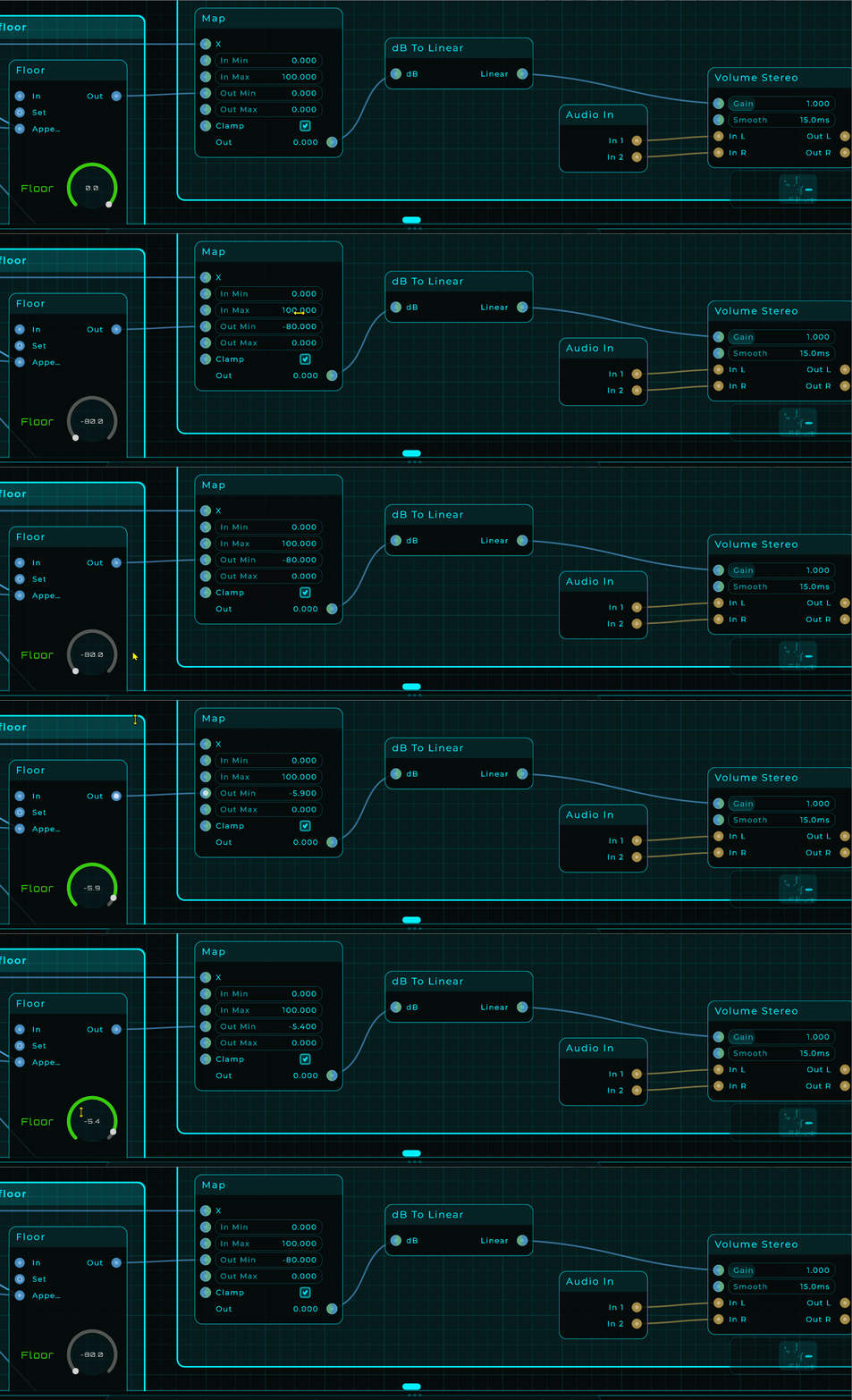
i am just in need of a point where i can get that text in db
might be able to do something with meter because it has the same scaling option