How can I display the current BPM and Measure Signature in the UI Interface of my app. I’m planning a Custom Metronome. I want to access this data to control certain functions of the app, and also convert this data to a text format to be displayed. – Thanks
hi and welcome
bpm could be displayed like this but probably more ways to do it havent checked
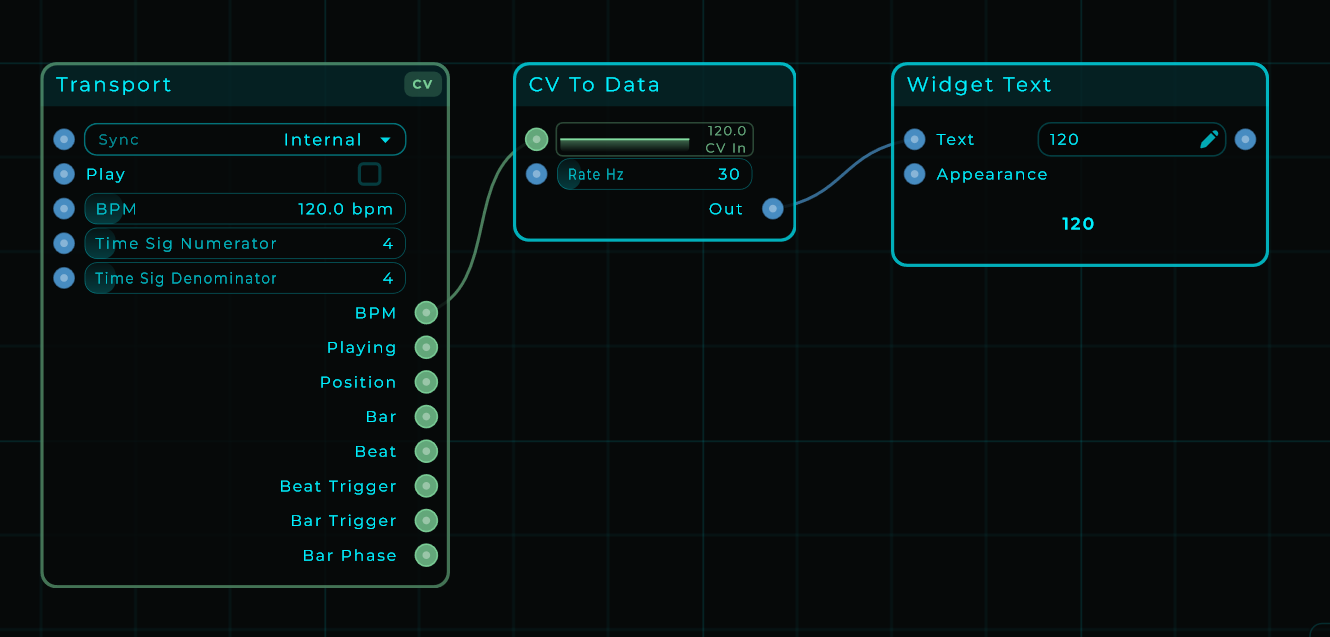
edits: time signature can be set at the front so you could also make just a knob or fader for controlling that simply set the min and max in the inspector to the right range.
the bpm can also be done by connecting a fader or knob on front of the transport, there you would alter min and max for them in the inspector to get the value on your button or fader
you could also use text input to set them: text input > is number > to relevant option on the transport front
cheers
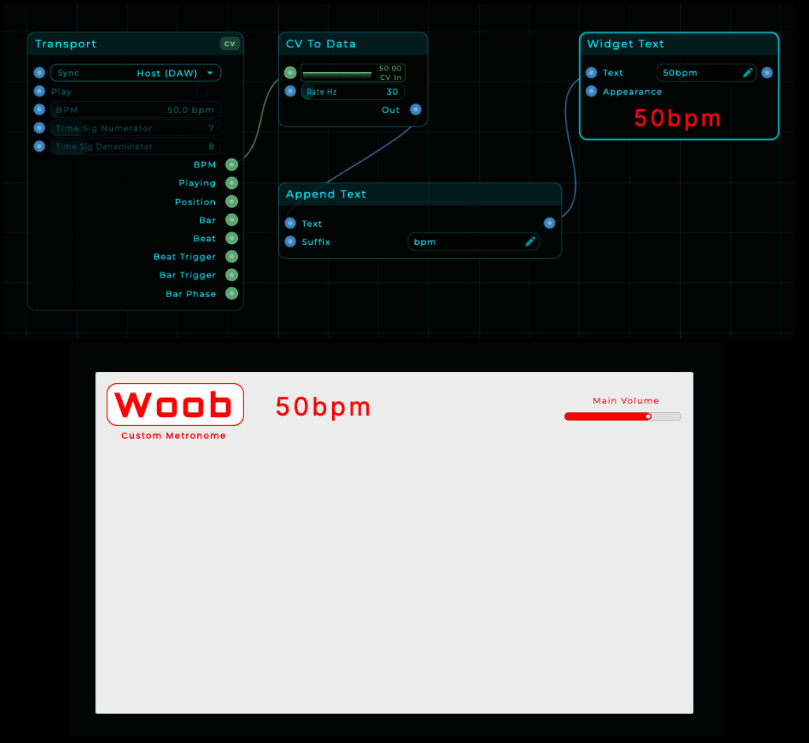
You’re right. The Signature value should be exposed so it can be displayed in the DAW. That was my oversight for not adding it.
Version 1.0 launches tomorrow, so I won’t have time to include it before then, but it’ll definitely be in the next update.
Best,
Mario
No problem Mario. I’m overly impressed with your work, your application is inspiring.
Thanks again @OctaFuzZ 