Could there be a bypass on the CV to Data node. I have it connected to the X and Y of a state morpher and it keeps sending my puck to 0,0 even when the nodes sending it a value are bypassed.
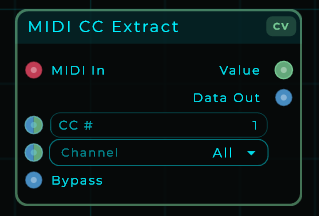
Is something like this a solution for you?
Two examples inside the project file:
test_MidiCC.mnprt (8.4 KB)
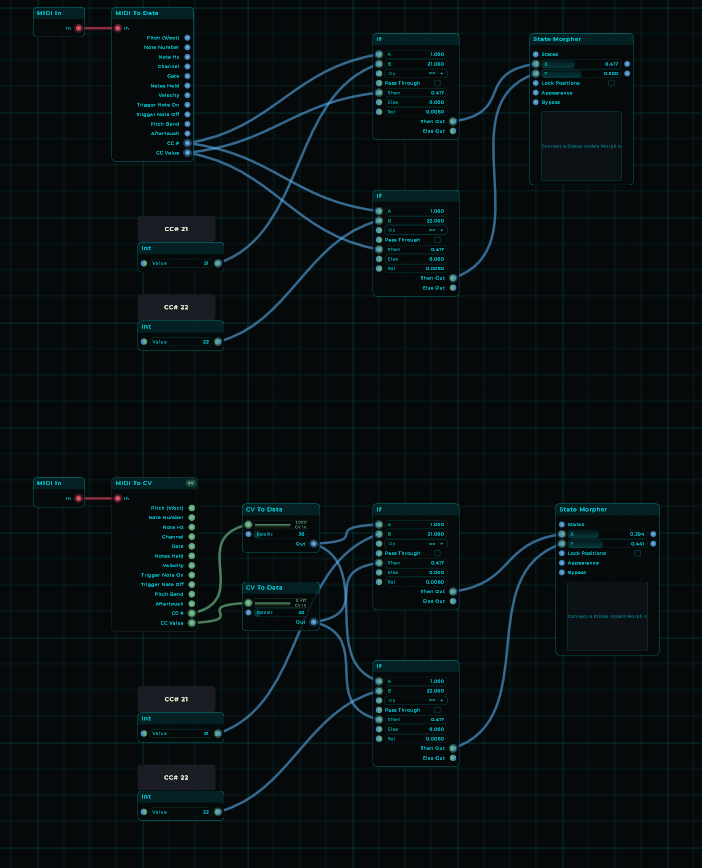
Morning Danny,
That’s an interesting way of doing it. Avoids the midi extract and cv.. I like it. I think that will work.
Will try it tomorrow morning.
Thanks very much!
Was thinking… maybe there could be a Questions category under mnodes…
Good evening Mikers,
Your welcome.
Well, it’s not that obvious but question related topics could be posted in here, not selecting any subcategory. But i will address it to Mario to see how he thinks about that. As even it would mean that the main category section might be just for that, it makes visually for everyone more logical to select.
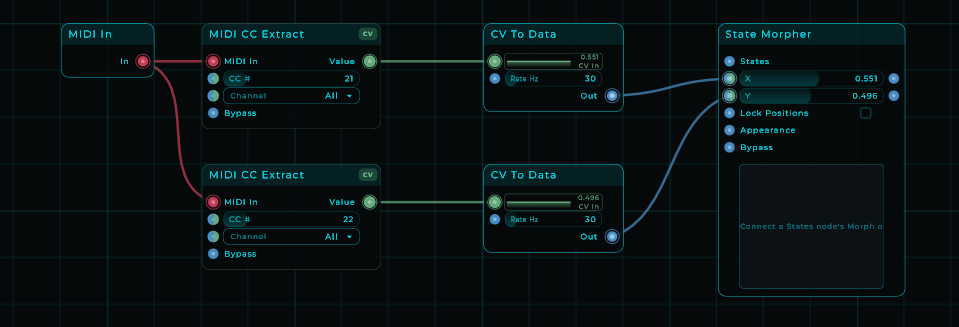
I wonder if doing it this way is less inefficient? If it processes more instructions at a lower level..?
@mario ?.. thoughts..?
Ah.. I see… I think i know what is happening. I think you dont have everything that I have set up, so you are not seeing it. Do you see the pin ins on state morpher pulsing? Oh and dont have any midi in happening… so no keyboard input. I have mine connected to an idle vst midi player I wrote. Will send you a copy of that too.
Yes…
Oh and dont have any midi in happening… so no keyboard input. I have mine connected to an idle vst midi player I wrote. Will send you a copy of that too.
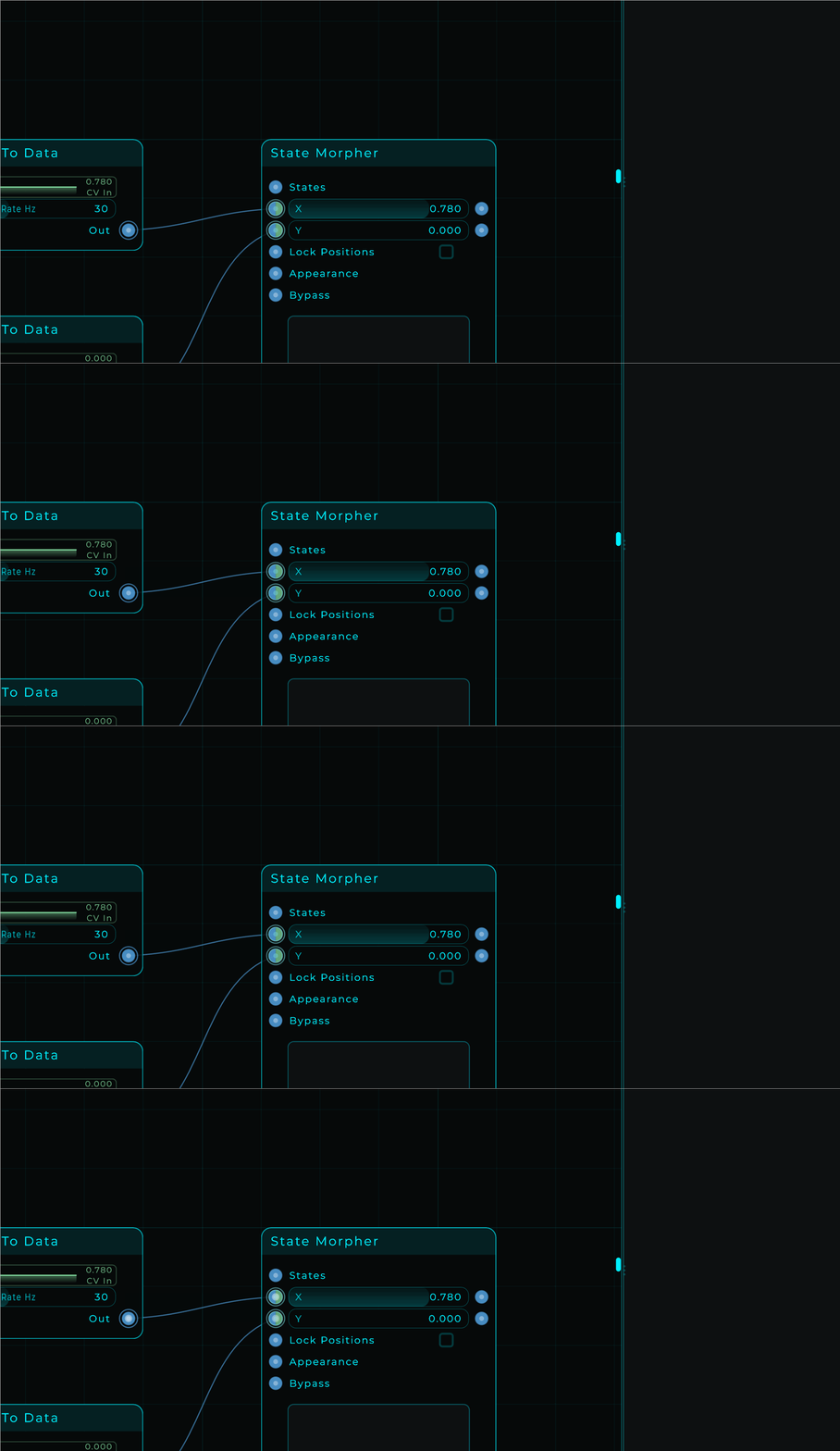
Okay, hmm.. okay, you got an midi player attached. ok.. .. i am not giving up :-).. i hold
If you want, you cant it on discord in a PM if you want to keep that privatly or perhaps a PM in the forum?
Its been wine o’clock for a bit.. a mud house brut cuvèe… but my tomorrow morning. Enjoy your Saturday!
Thanks, Ah okay 
We can always address the situation later (today/tomorrow).
Enjoy the wine 
mostly.
Im awake! Thank Goodness I didn’t wake up at 3:30am like I did last night. Will have a play after my morning cup of tea.
Mnodes has to wait… my wife says the freezers need reorganizing… yay!
Morning… almost for you.
That fixed that problem. There are a couple others that I have set up a new feature request for 
I tried sending you the latest copy and the two vsts, but the size limit was hit.
Actually… Will try something.
Ok, I dm’ed you a copy - 3 files. Copy the .vst3 folders into the common files/VST3 folder
Oh - if you use a mac, I can generate AU files - let me know
They are called Utility MIDI Legator Monitor and Utility MIDI Looper
Im not sure, but you might have to turn on “Enable Automation” for each of the controls on the plugin (I did it here for the source, but I dont know if it remembers through the Export to vst3 process).
Maybe do it in a blank mnodes page just with a plugin host node - it should remember the setting from then on and you wont break any wires if the pins are not there.
When you load a plugin into plug host,
go into the settings

Then turn on Show Global Controls.
Little arrows appear under each of the plugin controls, so rightclick on each of them and turn on Enable Automation to expose them
You will probably have to go into the inspector for plugin host to turn on the parameters so the pins show up in the Plugin Host Node itself.
Then you can go back and turn off Show Global Controls for the plugin to get rid of the little arrows under the controls.
That should be it.
Its not as complicated as your synths… but the possibilities interesting. I want to add something to control balancing for my 7.1 speakers to add panning between them as part of the state morphing next.
Oh, and multiple plugins with midi delays to overlap the sounds.
Its going to be fun.
Hey Micheal,
Thanks for the effort sending me the files, explaining it all. Now it’s me here sitting confused, having done all the things or checked out. For sure this is my wrong doing or understand it.
I play a sound, record it? and then i have no sound. i think i just dont understand it or with the export, the states that are there are working against me?. perhaps it’s the serum instrument, or some parameters there that aren’t stored?.
A to big of a puzzle for me on this sunday morning
No prob. So you have installed the two plugins, can see the pins on the plugin host with the midi looper in it?
Ah. For the midi looper, you will need to specify a path and file to store the midi that is recorded and saved. That field is at the top. Forgot that.
Basically, you set up several states for the serum plugin.. change the cutoff between states to be able to hear it. Change a few other settings too. Save each state. Move the state tokens on the 2d morph space to different areas. When you click on recording, move the puck around the states to morph between cutoff and other setting changes you made in the morph node positions. When you have finished defining the path, click on playing to stop recording. Save the path by clicking on Save. Now when you play on your keyboard, the puck should move along the recorded path and you should be able to see the knobs on serum move and hear the changes as the puck moves around the states. If you play more than one key in legato, New notes will start at wherever the settings in serum are at the time.
Easy as that..
Yeah i did changed the midi file & path. this is a screen shot of the vst nodes
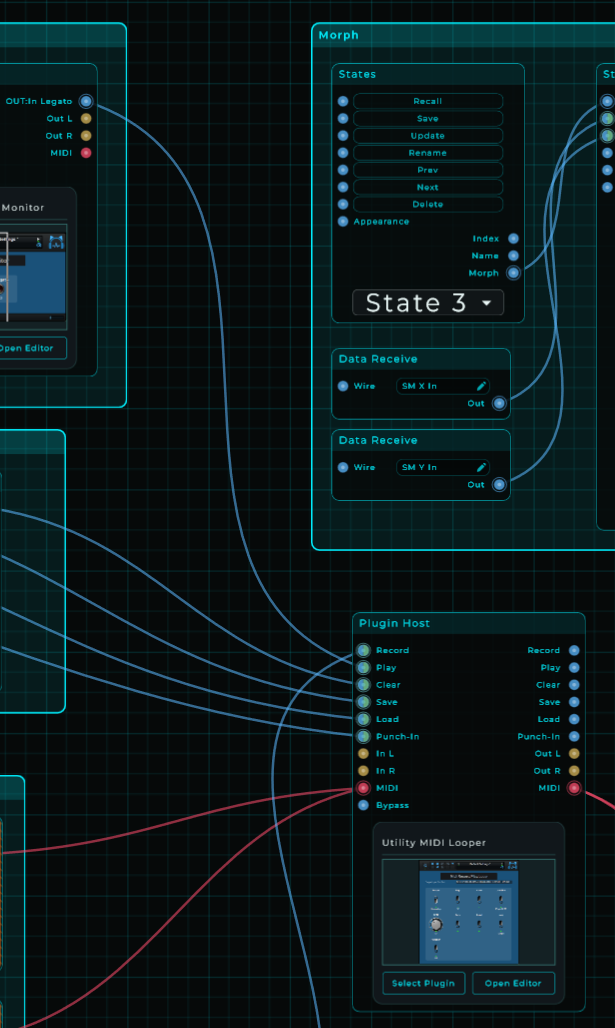
Are wires missing? or is this as you intended at this moment?
Oh and i moved this topic out of the bug report sections, otherwise mario is getting confused thinking that we are solving a bug instead of experimenting with it.