Currently to change params of a node that belong into the “general” catagory you have to go into the contect menü of that node and find the option you are looking for. There is no other way doing it.
A nicer approach would be to have a “context palette” that displays functions and options that you need often when working with nodes. COmfyui which is used for AI processing also has nodes and already provides this nice “context palette”.
Look at this to see what I mean:
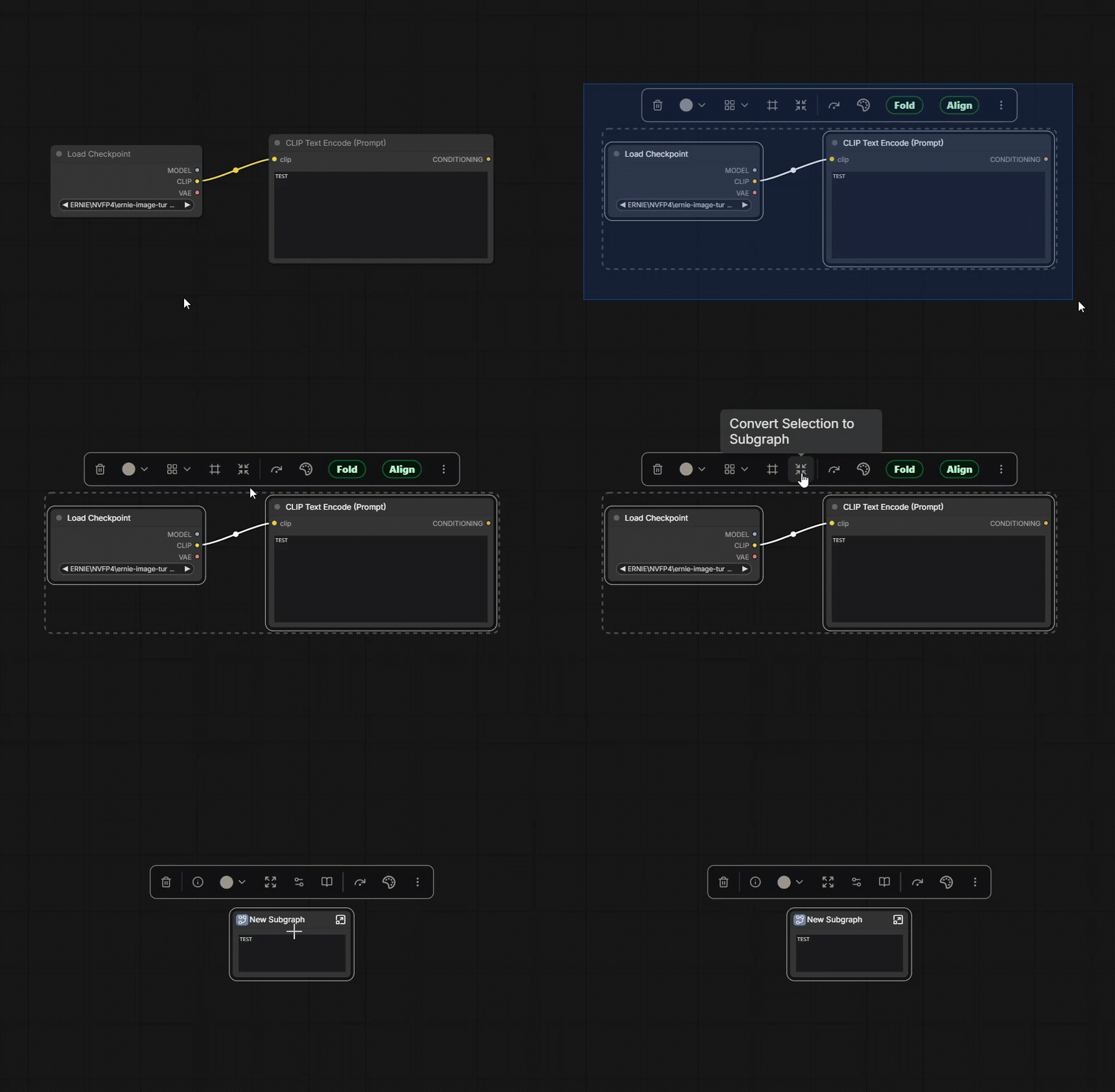
Selecting one node will already display the context palette and give you options for that specific node. Selecting mutiple nodes gives you options for the whole selection. No need to right-click and only features in there, that you need often.

For a single node OR multi node selections I would suggest to add functions like the following to the context palette in form of simple and clear icons:
- bypass toggle on/off
- create subgraph (all nodes are packed into a subgraph, just like pressing CTRL+G)
- unpack subgraph (the affected subgraph is unpacked and removed and its contents are again normal nodes restoring their connections to other nodes)
- select a tint color the node shall have
- toggle “UI Only” mode ON/OFF
- display the node’s UI in a separate, resizable overlay window for very detailed edits (maybe a modal overlay that must be closed?; the window shall feature a maximize button for making it fullscreen for super detailed edits
- delete the node
And so on. Not too many options OR the user must be able to select which options appear in this palette.
The usability when working with nodes goes up a lot with this context palette as the ways to reach things become much shorter and icon only buttons can help to get used to how functions look and make it more intuitive over time.