Hi. I notice in my first attempts with Chord Palette that it is not recognizing the incoming lowest MIDI note (i.e. 0, C-2). IOW, the first pad does not respond to that low C, but rather must be triggered using low C#, etc. Possibly I have mis-configured something, but if not correction may be needed at the source. Thanks.
have you read the help?
it says for Index
Which pad to play. 0 is silence. Value or CV. and your using note number 0 on note number out thus you send 0 to it meaning silence
Ah, yes - that is documented as you say. Thanks.
I notice that if I apply a gate signal (e.g. from MIDI to Data) then chords are on/off as per whether I hold down the triggering key. Under this scenario (which is mine) there is no need for 0 to create silence, and shifting all the numbers by 1 totally messes with my head when I am organizing things by 8’s and 16’s, etc. and relying upon that known organization to decide what to press next.
I would find it quite helpful if that 0 = silence feature could be suppressed and all numbers treated identically wrt. pad triggering.
use a map to offset or put a addition in between where you add 1 and where you end up needing to remove this diff you do subtract 1
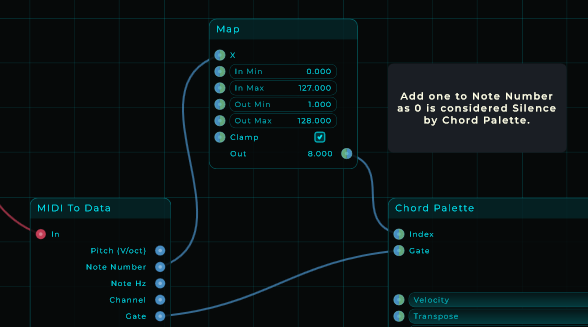
BTW, if I just want to observe a number, how is that done? Nothing I search for seems to be it!
IOW, how can I display (read), for example, Note Number coming out of ‘MIDI to Data’ in the picture above?
as in act on a specific number use a if or a note filter depending the situation
add widget text and feed note number into text and the widget you put on the gui
@Progster but he your note number is off by 1 so its lying if you dont correct it there:)
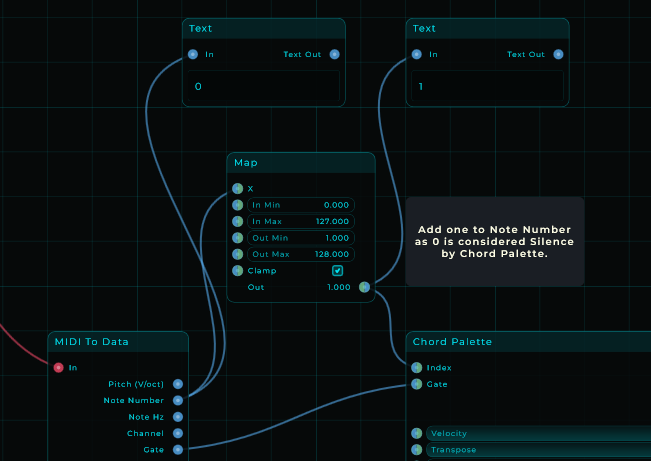
yes but have you considered using more than 1? 
do you mind putting a solution somewhere so mario dont have to read this long bug report
btw you should use widget text and not text
there is a difference see widgets are for use on the gui
this text is not it does not have a add to gui option
The Print node also works well for debugging. The values scroll so it makes it easy to see how the signal is changing. The best thing about it to me is that the Print node is right there in the list when right clicking on the screen. No filtering or scrolling needed.
yeah i also use that for debugging like he is doing i thought he wanted something on his gui
way past my bedtime brain is shutting down gn
Hi,
As a moderator I noticed you got helped on a subject that seems to felt like a bug but as far i conclude you got some help and there is a solution on your TS message. I moved this TS out of the bug report section to the general MNode category as that one is also “help” related.
If there is still an issue and you can define that as an bug then please start a new TS.
Best regards,
Danny
Thanks for the further comments and suggestions!